> ## Documentation Index
> Fetch the complete documentation index at: https://docs.junojourney.com/llms.txt
> Use this file to discover all available pages before exploring further.
# Analytics & Reports
> Admin Tab 2 — dashboards, widget builder, skills analytics, and custom reports.
export const RelatedPages = ({pages = []}) => {
if (pages.length === 0) return null;
return <>
Related articles
{pages.map(page => )}
;
};
export const RoleBadge = ({roles = []}) => {
const colorMap = {
Admin: "yellow",
Manager: "blue",
Learner: "green",
"Co-editor": "purple"
};
return <>
{roles.map(role => {role}{" "})}
;
};
## Overview
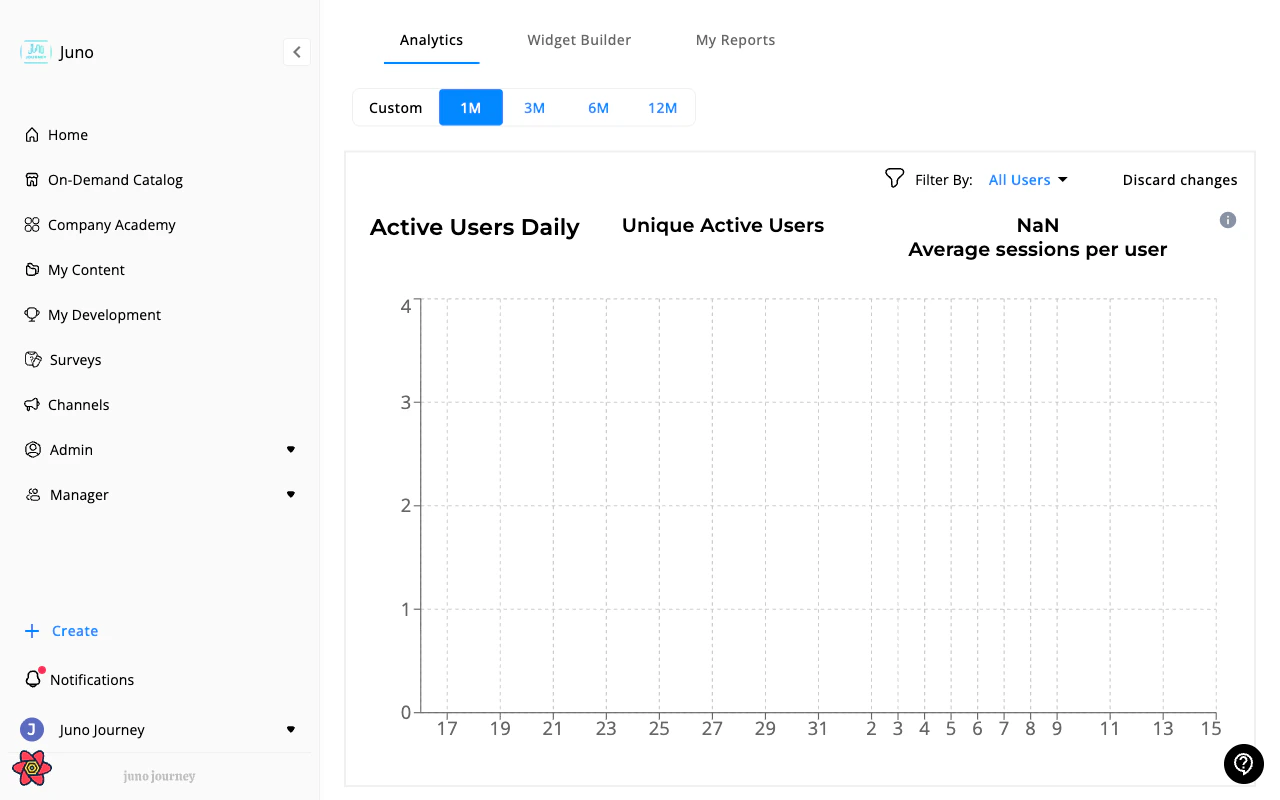
**Admin → Analytics** (`/admin/2`) provides organization-wide insights into learning activity, engagement, and performance. Managers also have access to this tab for their team scope.
 ***
## Sub-tabs
### Analytics
The main analytics dashboard with organization-wide metrics:
| Category | What you can track |
| ------------ | --------------------------------------------------------------- |
| **Content** | Enrollment trends, completion rates, time spent, top courses |
| **Users** | Active users, engagement levels, retention |
| **Journeys** | Completion rates, time to completion, performance by department |
| **Budget** | Utilization trends, spend by category |
| **Events** | Attendance rates, event popularity |
Filter by date range, department, content type, and user segments. Export any view to **CSV**.
### Widget Builder
Build custom analytics widgets and assemble them into dashboards. Each widget visualizes one analytics event with chosen breakdowns and filters.
Widget Builder requires the `CAN_SEE_ANALYTICS_WIDGETS_BUILDER` feature flag to be enabled.
**Building a widget:**
| Parameter | What it does |
| -------------- | --------------------------------------------------------------------------- |
| **Event** | The analytics event to measure (course enrollment, completion, login, etc.) |
| **Value type** | Count, unique users, average, sum |
| **Chart type** | Bar, pie, line, table |
| **Breakdown** | Group by department, role, content, time period, etc. |
| **Filters** | Narrow the data (e.g. `department = Engineering`, date range) |
**Widget actions:**
* **Edit** — adjust parameters
* **Export** — download chart data as CSV
* **Add to overview** — pin to the main Analytics dashboard
### Skills analytics
Track skill development and competency growth across your organization.
Skills analytics requires the `CAN_SEE_SKILLS_ANALYTICS` feature flag to be enabled.
### My reports
Create, download, and schedule custom analytics reports. See **[Analytics Reports](/admin/analytics-reports)** for full details on report creation, scheduling, and delivery management.
***
## Per-training analytics
Every course, quiz, SCORM package, Journey, and survey has a dedicated analytics view with learner tables, status breakdowns, and bulk actions. See **[Training Analytics](/admin/training-analytics)** and **[Training Analytics Actions](/admin/training-analytics-actions)**.
***
## Learning activities
The Learning activities table at **Admin → Content → Learning management** shows every learner's interaction with every training unit in one filterable, exportable table. See **[Content & Learning management — Learning management](/admin/content-management#learning-management)**.
Managers see a direct-reports-scoped version of this table at **Managers → Content → Learning Activities** — see **[Learning Activities (Managers)](/managers/learning-activities)**.
***
## Manager vs. Admin view
Managers see the same Analytics tab at `/managers/2` but scoped to their team. Admins see organization-wide data.
***
## Sub-tabs
### Analytics
The main analytics dashboard with organization-wide metrics:
| Category | What you can track |
| ------------ | --------------------------------------------------------------- |
| **Content** | Enrollment trends, completion rates, time spent, top courses |
| **Users** | Active users, engagement levels, retention |
| **Journeys** | Completion rates, time to completion, performance by department |
| **Budget** | Utilization trends, spend by category |
| **Events** | Attendance rates, event popularity |
Filter by date range, department, content type, and user segments. Export any view to **CSV**.
### Widget Builder
Build custom analytics widgets and assemble them into dashboards. Each widget visualizes one analytics event with chosen breakdowns and filters.
Widget Builder requires the `CAN_SEE_ANALYTICS_WIDGETS_BUILDER` feature flag to be enabled.
**Building a widget:**
| Parameter | What it does |
| -------------- | --------------------------------------------------------------------------- |
| **Event** | The analytics event to measure (course enrollment, completion, login, etc.) |
| **Value type** | Count, unique users, average, sum |
| **Chart type** | Bar, pie, line, table |
| **Breakdown** | Group by department, role, content, time period, etc. |
| **Filters** | Narrow the data (e.g. `department = Engineering`, date range) |
**Widget actions:**
* **Edit** — adjust parameters
* **Export** — download chart data as CSV
* **Add to overview** — pin to the main Analytics dashboard
### Skills analytics
Track skill development and competency growth across your organization.
Skills analytics requires the `CAN_SEE_SKILLS_ANALYTICS` feature flag to be enabled.
### My reports
Create, download, and schedule custom analytics reports. See **[Analytics Reports](/admin/analytics-reports)** for full details on report creation, scheduling, and delivery management.
***
## Per-training analytics
Every course, quiz, SCORM package, Journey, and survey has a dedicated analytics view with learner tables, status breakdowns, and bulk actions. See **[Training Analytics](/admin/training-analytics)** and **[Training Analytics Actions](/admin/training-analytics-actions)**.
***
## Learning activities
The Learning activities table at **Admin → Content → Learning management** shows every learner's interaction with every training unit in one filterable, exportable table. See **[Content & Learning management — Learning management](/admin/content-management#learning-management)**.
Managers see a direct-reports-scoped version of this table at **Managers → Content → Learning Activities** — see **[Learning Activities (Managers)](/managers/learning-activities)**.
***
## Manager vs. Admin view
Managers see the same Analytics tab at `/managers/2` but scoped to their team. Admins see organization-wide data.