> ## Documentation Index
> Fetch the complete documentation index at: https://docs.junojourney.com/llms.txt
> Use this file to discover all available pages before exploring further.
# Automations
> Rule-based workflow automation — trigger actions based on platform events.
export const FeatureAvailability = ({module, feature}) => {
const label = feature || module;
return
{label ? <>This feature requires the {label} module. : <>This feature may not be enabled for your organization. }
If you don't see it in Juno, contact your administrator.
;
};
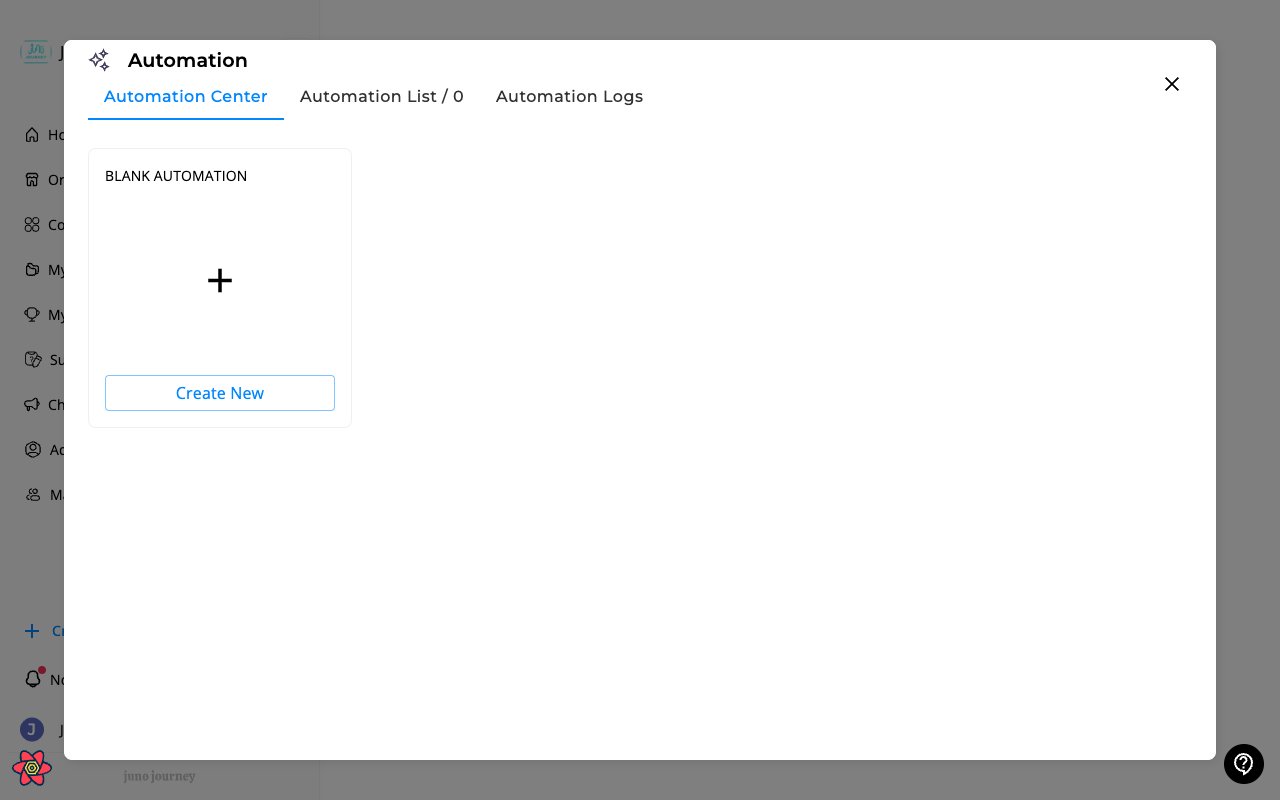 ## What are automations?
Automations are rule-based workflows that execute actions automatically when conditions are met. They help reduce manual work for common administrative tasks.
Access at **Admin → Automations** (`/admin/company-automations`).
***
## How automations work — Who / When / Action
Every automation is built from three parts:
| Part | Purpose | Examples |
| ---------- | ----------------------------------------------- | -------------------------------------------------------------------------------------------------------- |
| **WHO** | Which users the automation targets | Role, position, department, location, group, employee type |
| **WHEN** | The trigger condition that fires the automation | Matches WHO criteria, completed training, hasn't started training, finished a step, enrolled in a module |
| **ACTION** | What happens | Assign training, send a nudge, notify a manager, re-assign for recertification |
Each automation can also have an optional **time delay** between the trigger and the action (e.g. "nudge 7 days after assignment").
***
## Action types
| Action | What it does | Typical use |
| ------------------------- | ------------------------------------------------------------------ | ------------------------------------------------------------------ |
| **Assign This Training** | Auto-enrolls matching users in the current training | Onboarding new joiners, role-based training |
| **Assign Next Training** | Enrolls users in a follow-up training after they complete this one | Sequential learning paths |
| **Assign To Survey** | Sends a feedback or engagement survey after training completion | Post-training feedback collection |
| **Nudge** | Sends a reminder notification to learners who haven't completed | Re-engagement for incomplete training |
| **Notify** | Alerts managers, HR, or the learner about a milestone | "Manager alerted when direct report completes compliance training" |
| **Re-assign To Training** | Re-enrolls users on a recurring schedule | Annual recertification |
***
## Supported content types
Automations can be attached to:
* **Journeys**
* **Courses**
* **Surveys**
* **Events**
***
## Personalization in messages
Use `@` mentions to insert dynamic values into nudge and notify messages:
| Token | Resolves to |
| ---------------------- | ------------------------------------------------------------------------------------- |
| `@Recipient` | The employee receiving the message |
| `@TrainingTitle` | The course / Journey / event the automation is on |
| `@Learner's Name` | Used in manager notifications — the direct report's name |
| `@LearnersManagerName` | The recipient's direct manager — useful for nudges that reference reporting lines |
| `@LearnersHireDate` | The recipient's hire date — useful for onboarding reminders and tenure-based messages |
You can use `@LearnersManagerName` and `@LearnersHireDate` on any automation action. The **Assign to unit**, **Assign to survey**, and **Assign session recording** actions only resolve `@Recipient` and `@TrainingTitle`.
***
## Managing automations
* **Create** — define WHO, WHEN, and one or more ACTIONS
* **Enable / disable** — toggle automations on or off
* **Edit** — modify WHO, WHEN, ACTIONS, or message content
* **View history** — see past automation executions and dry-run counters before going live
## What are automations?
Automations are rule-based workflows that execute actions automatically when conditions are met. They help reduce manual work for common administrative tasks.
Access at **Admin → Automations** (`/admin/company-automations`).
***
## How automations work — Who / When / Action
Every automation is built from three parts:
| Part | Purpose | Examples |
| ---------- | ----------------------------------------------- | -------------------------------------------------------------------------------------------------------- |
| **WHO** | Which users the automation targets | Role, position, department, location, group, employee type |
| **WHEN** | The trigger condition that fires the automation | Matches WHO criteria, completed training, hasn't started training, finished a step, enrolled in a module |
| **ACTION** | What happens | Assign training, send a nudge, notify a manager, re-assign for recertification |
Each automation can also have an optional **time delay** between the trigger and the action (e.g. "nudge 7 days after assignment").
***
## Action types
| Action | What it does | Typical use |
| ------------------------- | ------------------------------------------------------------------ | ------------------------------------------------------------------ |
| **Assign This Training** | Auto-enrolls matching users in the current training | Onboarding new joiners, role-based training |
| **Assign Next Training** | Enrolls users in a follow-up training after they complete this one | Sequential learning paths |
| **Assign To Survey** | Sends a feedback or engagement survey after training completion | Post-training feedback collection |
| **Nudge** | Sends a reminder notification to learners who haven't completed | Re-engagement for incomplete training |
| **Notify** | Alerts managers, HR, or the learner about a milestone | "Manager alerted when direct report completes compliance training" |
| **Re-assign To Training** | Re-enrolls users on a recurring schedule | Annual recertification |
***
## Supported content types
Automations can be attached to:
* **Journeys**
* **Courses**
* **Surveys**
* **Events**
***
## Personalization in messages
Use `@` mentions to insert dynamic values into nudge and notify messages:
| Token | Resolves to |
| ---------------------- | ------------------------------------------------------------------------------------- |
| `@Recipient` | The employee receiving the message |
| `@TrainingTitle` | The course / Journey / event the automation is on |
| `@Learner's Name` | Used in manager notifications — the direct report's name |
| `@LearnersManagerName` | The recipient's direct manager — useful for nudges that reference reporting lines |
| `@LearnersHireDate` | The recipient's hire date — useful for onboarding reminders and tenure-based messages |
You can use `@LearnersManagerName` and `@LearnersHireDate` on any automation action. The **Assign to unit**, **Assign to survey**, and **Assign session recording** actions only resolve `@Recipient` and `@TrainingTitle`.
***
## Managing automations
* **Create** — define WHO, WHEN, and one or more ACTIONS
* **Enable / disable** — toggle automations on or off
* **Edit** — modify WHO, WHEN, ACTIONS, or message content
* **View history** — see past automation executions and dry-run counters before going live