> ## Documentation Index
> Fetch the complete documentation index at: https://docs.junojourney.com/llms.txt
> Use this file to discover all available pages before exploring further.
# Budget & Credits
> Admin Tab 3 — manage learning budgets, credit allocation, requests, policies, and payments.
export const RelatedPages = ({pages = []}) => {
if (pages.length === 0) return null;
return <>
Related articles
{pages.map(page => )}
;
};
export const RoleBadge = ({roles = []}) => {
const colorMap = {
Admin: "yellow",
Manager: "blue",
Learner: "green",
"Co-editor": "purple"
};
return <>
{roles.map(role => {role}{" "})}
;
};
export const FeatureAvailability = ({module, feature}) => {
const label = feature || module;
return
{label ? <>This feature requires the {label} module. : <>This feature may not be enabled for your organization. }
If you don't see it in Juno, contact your administrator.
;
};
## Overview
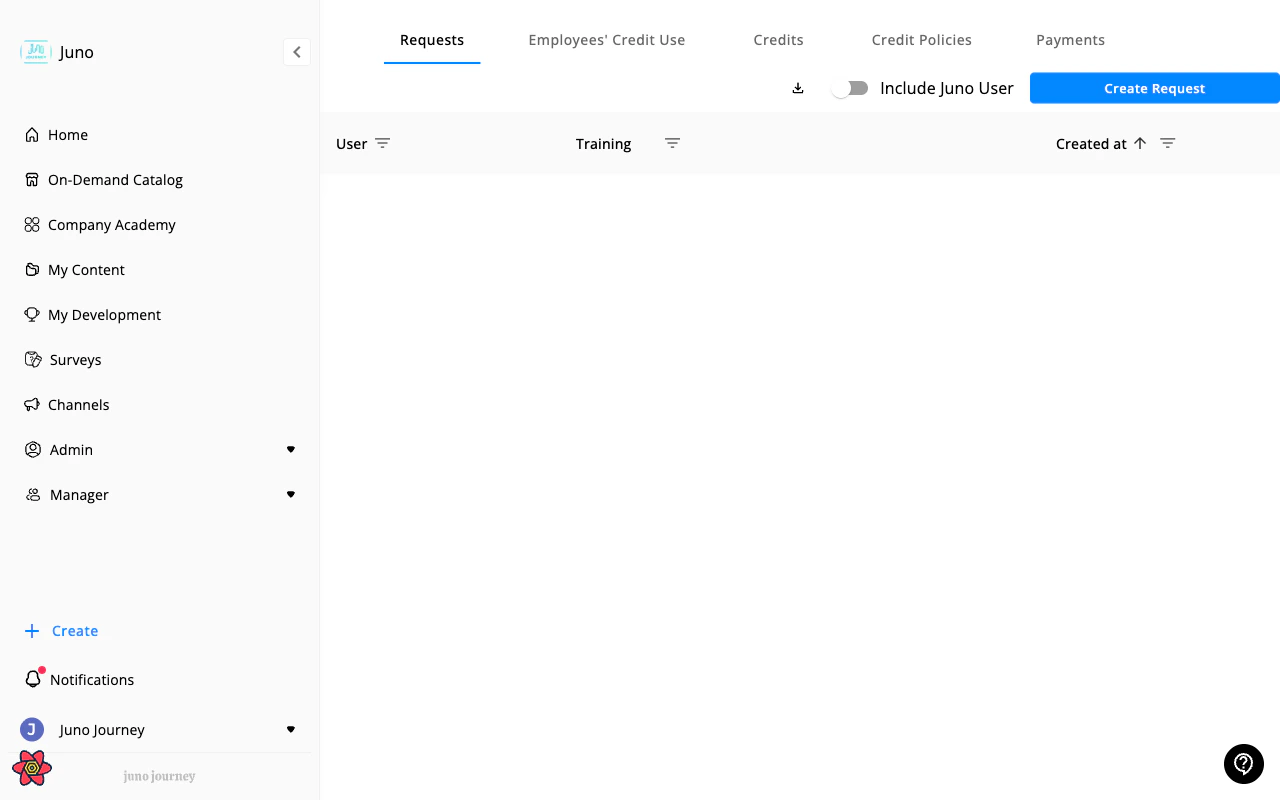
**Admin → Budget** (`/admin/3`) manages your organization's learning budget, credit allocation, and spending. Managers also have access but with a limited view.
 ***
## Sub-tabs
### Overview
Dashboard with budget health metrics:
* Total budget available vs. spent
* Budget utilization percentage
* Spending by provider
* Top learners by spend
Overview requires the `CAN_SEE_BUDGET_OVERVIEW` feature flag.
### Requests
Learning content requests from users:
* Approve, deny, or request more information
* View request details (content, cost, requester, manager)
* Filter by status, date, requester
When you open Requests from a tile or link on the **Overview**, Juno pre-filters the list to match the overview's counts. "Pending approval" includes legacy requests without a stored status, and any inherited date range filters on the request's creation date.
### Users credits usage
Per-user credit balances and spending:
* View each user's allocated vs. spent credits
* Filter by department, role, date range
* Export to CSV
### Credits
Define and manage credit types:
* Create credit types (e.g., "Online Courses", "Certifications")
* Set credit values
* Allocate credits to users or teams
### Credit policies
Budget allocation rules and caps:
* Set spending limits per user, team, or time period
* Define conditions (by role, department)
* Configure approval chains
Credit policies is only visible to admins, not managers.
### Payments
Invoice and payment tracking:
* View payment history
* Track invoices by provider
* Export payment data
Payments is only visible to admins, not managers.
***
## Vouchers and purchases
When a learning request is approved and the content has a cost, Juno fulfills the purchase via one of three flows:
| Flow | When it's used | What the learner sees |
| ------------------- | -------------------------------------------------------------------- | --------------------------------------------------------- |
| **Voucher** | Provider-issued one-time code (Udemy, Coursera, etc.) | A code with redemption instructions on the request dialog |
| **Reimbursement** | Learner pays out-of-pocket and uploads a receipt | Upload-receipt UI; admin approves the reimbursement |
| **Direct purchase** | Juno or admin buys on the learner's behalf (Amazon, custom requests) | The content is provisioned to their account directly |
### Voucher lifecycle
1. **Pending** — request approved, voucher not yet generated
2. **Generated** — code issued and sent to learner
3. **Redeemed** — learner reports the code was used
4. **Expired / Suspended** — voucher invalidated (admin action or provider expiry)
Admins can refresh, re-issue, or cancel vouchers from the request detail dialog.
### Custom requests
Learners can request content not in the catalog via **"Request other"** — admin reviews, approves the budget, and either issues a voucher or marks it as a direct purchase / reimbursement.
### Amazon invoice export
For Amazon book purchases, admins can export consolidated invoices from the Payments tab for accounting reconciliation.
***
## Manager vs. Admin view
Managers see Budget at `/managers/3` with a limited view:
* Overview (if enabled), Requests, Users Credits, Credits
* **No** Credit Policies, Payments, or Automations
***
## Sub-tabs
### Overview
Dashboard with budget health metrics:
* Total budget available vs. spent
* Budget utilization percentage
* Spending by provider
* Top learners by spend
Overview requires the `CAN_SEE_BUDGET_OVERVIEW` feature flag.
### Requests
Learning content requests from users:
* Approve, deny, or request more information
* View request details (content, cost, requester, manager)
* Filter by status, date, requester
When you open Requests from a tile or link on the **Overview**, Juno pre-filters the list to match the overview's counts. "Pending approval" includes legacy requests without a stored status, and any inherited date range filters on the request's creation date.
### Users credits usage
Per-user credit balances and spending:
* View each user's allocated vs. spent credits
* Filter by department, role, date range
* Export to CSV
### Credits
Define and manage credit types:
* Create credit types (e.g., "Online Courses", "Certifications")
* Set credit values
* Allocate credits to users or teams
### Credit policies
Budget allocation rules and caps:
* Set spending limits per user, team, or time period
* Define conditions (by role, department)
* Configure approval chains
Credit policies is only visible to admins, not managers.
### Payments
Invoice and payment tracking:
* View payment history
* Track invoices by provider
* Export payment data
Payments is only visible to admins, not managers.
***
## Vouchers and purchases
When a learning request is approved and the content has a cost, Juno fulfills the purchase via one of three flows:
| Flow | When it's used | What the learner sees |
| ------------------- | -------------------------------------------------------------------- | --------------------------------------------------------- |
| **Voucher** | Provider-issued one-time code (Udemy, Coursera, etc.) | A code with redemption instructions on the request dialog |
| **Reimbursement** | Learner pays out-of-pocket and uploads a receipt | Upload-receipt UI; admin approves the reimbursement |
| **Direct purchase** | Juno or admin buys on the learner's behalf (Amazon, custom requests) | The content is provisioned to their account directly |
### Voucher lifecycle
1. **Pending** — request approved, voucher not yet generated
2. **Generated** — code issued and sent to learner
3. **Redeemed** — learner reports the code was used
4. **Expired / Suspended** — voucher invalidated (admin action or provider expiry)
Admins can refresh, re-issue, or cancel vouchers from the request detail dialog.
### Custom requests
Learners can request content not in the catalog via **"Request other"** — admin reviews, approves the budget, and either issues a voucher or marks it as a direct purchase / reimbursement.
### Amazon invoice export
For Amazon book purchases, admins can export consolidated invoices from the Payments tab for accounting reconciliation.
***
## Manager vs. Admin view
Managers see Budget at `/managers/3` with a limited view:
* Overview (if enabled), Requests, Users Credits, Credits
* **No** Credit Policies, Payments, or Automations