> ## Documentation Index
> Fetch the complete documentation index at: https://docs.junojourney.com/llms.txt
> Use this file to discover all available pages before exploring further.
# Groups
> Organize users into teams for content assignment and training management.
export const FeatureAvailability = ({module, feature}) => {
const label = feature || module;
return
{label ? <>This feature requires the {label} module. : <>This feature may not be enabled for your organization. }
If you don't see it in Juno, contact your administrator.
;
};
## What are groups?
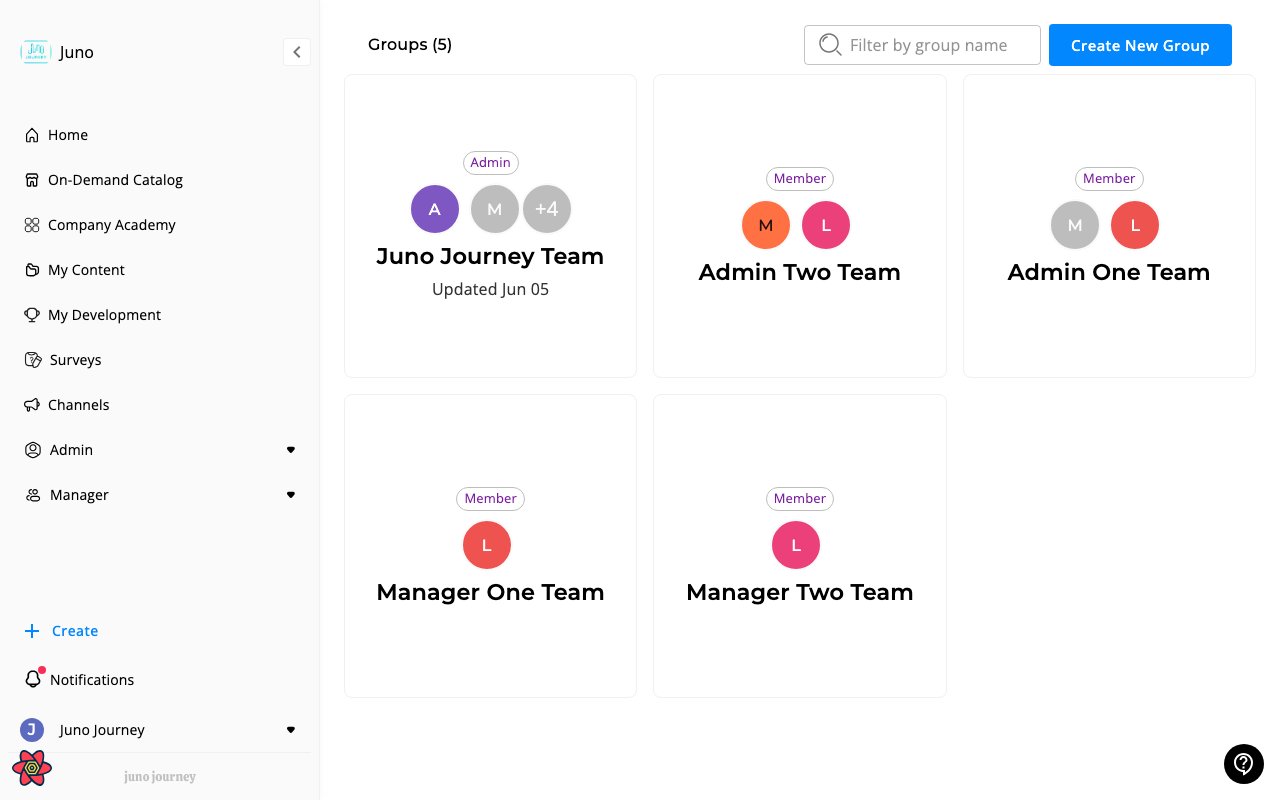
**Groups** are user cohorts for managing training at scale. Managers and admins create groups to assign content to entire teams at once. Access them at **Groups** (`/groups`).
 ***
## Groups vs. channels
| | Groups | Channels |
| -------------- | ---------------------------- | -------------------------- |
| **Purpose** | Assign and track learning | Curate and share content |
| **Content** | Auto-assigned to all members | Members browse at own pace |
| **Created by** | Managers (role 3+) | Anyone with permission |
***
## Group types
| Type | Members added by |
| ------------- | -------------------------------- |
| **Regular** | Manual addition |
| **Hierarchy** | Automatically from org structure |
***
## Inside a group
| Tab | Content |
| ------------ | ------------------------- |
| **About** | Description and settings |
| **Main** | Content assigned to group |
| **Training** | Completion tracking |
| **Members** | Member list |
***
## Assigning content
When content is added to a group, all current members get the assignment. New members added later also receive it if auto-assign is enabled.
***
## Creating a group
1. Go to **Groups** → **Create Group**
2. Set name and description
3. Add members (manually or from org hierarchy)
4. Assign content
***
## Groups vs. channels
| | Groups | Channels |
| -------------- | ---------------------------- | -------------------------- |
| **Purpose** | Assign and track learning | Curate and share content |
| **Content** | Auto-assigned to all members | Members browse at own pace |
| **Created by** | Managers (role 3+) | Anyone with permission |
***
## Group types
| Type | Members added by |
| ------------- | -------------------------------- |
| **Regular** | Manual addition |
| **Hierarchy** | Automatically from org structure |
***
## Inside a group
| Tab | Content |
| ------------ | ------------------------- |
| **About** | Description and settings |
| **Main** | Content assigned to group |
| **Training** | Completion tracking |
| **Members** | Member list |
***
## Assigning content
When content is added to a group, all current members get the assignment. New members added later also receive it if auto-assign is enabled.
***
## Creating a group
1. Go to **Groups** → **Create Group**
2. Set name and description
3. Add members (manually or from org hierarchy)
4. Assign content