> ## Documentation Index
> Fetch the complete documentation index at: https://docs.junojourney.com/llms.txt
> Use this file to discover all available pages before exploring further.
# Career Paths
> Visual career growth maps — see where you are and where you can go in your organization.
export const InternalNote = ({children}) => {
const [isInternal, setIsInternal] = useState(false);
useEffect(() => {
const user = window.__mintlify_user__;
if (user?.groups?.includes("internal")) setIsInternal(true);
}, []);
if (!isInternal) return null;
return
🔒 Internal Note
{children}
;
};
export const FeatureAvailability = ({module, feature}) => {
const label = feature || module;
return
{label ? <>This feature requires the {label} module. : <>This feature may not be enabled for your organization. }
If you don't see it in Juno, contact your administrator.
;
};
## What are career paths?
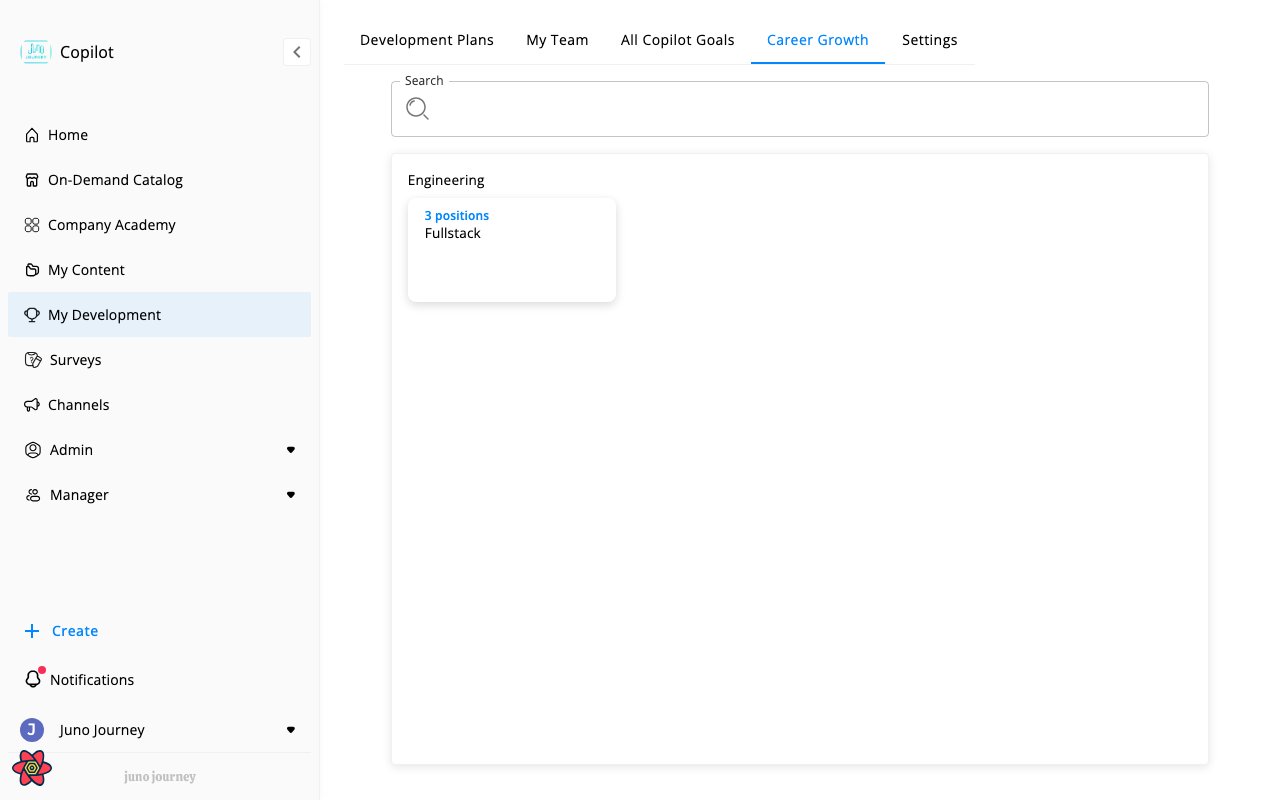
Career Paths give you a visual map of how roles are structured in your organization — where you currently sit and what growth opportunities exist. Access them at **My Development → Career Growth** (`/develop/career-growth`).
 ***
## How career paths are organized
Your organization's career paths are built from three levels:
| Level | What it is | Example |
| -------------- | --------------------------------- | ----------------------------- |
| **Department** | Broad organizational area | Engineering, Sales, Marketing |
| **Family** | Career ladder within a department | "Software Engineering" ladder |
| **Position** | Specific role at a level | "Senior Software Engineer" |
Each position in a family represents a step in the career ladder. Positions can be:
* **Individual Contributor (IC)** — specialist/technical track
* **Managerial** — people leadership track
***
## What you see
When you open Career Growth, you see:
1. **Your current position** — highlighted in the map based on your assigned role
2. **Growth path** — positions above and alongside yours in the same family
3. **Required skills and competencies** — what each position needs (if your admin has configured this)
Click any position to see its details: description, required skills, and required competencies.
***
## How positions connect to development
Positions link directly to your development tools:
* **Skills & Competencies** — each position defines what's needed. Compare your current levels against the target position to identify gaps.
* **Personal Development Plan** — your PDP is derived from your current or target position. See [Personal Development Plan](/development/personal-development-plan).
* **Goals** — when creating a goal, you can target a specific position. Juno suggests relevant skills and action items based on the position's requirements.
***
## For admins
Career paths are configured by admins in **Admin → Career Growth**:
* **Positions** — create and manage positions with descriptions, skills, and competencies
* **Departments & Families** — organize positions into career ladders
* **Levels** — define IC and managerial tracks with numbered levels
* **Bulk import** — upload positions from CSV
* **Labeling** — customize position descriptions and categories
Career paths admin routes: `/admin/career-growth/map`, `/admin/career-growth/positions`, `/admin/career-growth/competencies`, `/admin/career-growth/labeling`. Feature flag `CAN_SEE_CAREER_PATHS` defaults to 99 (blocked) — most orgs need admin to explicitly enable it. `CAN_LEARNER_VIEW_ALL_POSITIONS` controls whether learners can browse all positions or only their own family.
***
## How career paths are organized
Your organization's career paths are built from three levels:
| Level | What it is | Example |
| -------------- | --------------------------------- | ----------------------------- |
| **Department** | Broad organizational area | Engineering, Sales, Marketing |
| **Family** | Career ladder within a department | "Software Engineering" ladder |
| **Position** | Specific role at a level | "Senior Software Engineer" |
Each position in a family represents a step in the career ladder. Positions can be:
* **Individual Contributor (IC)** — specialist/technical track
* **Managerial** — people leadership track
***
## What you see
When you open Career Growth, you see:
1. **Your current position** — highlighted in the map based on your assigned role
2. **Growth path** — positions above and alongside yours in the same family
3. **Required skills and competencies** — what each position needs (if your admin has configured this)
Click any position to see its details: description, required skills, and required competencies.
***
## How positions connect to development
Positions link directly to your development tools:
* **Skills & Competencies** — each position defines what's needed. Compare your current levels against the target position to identify gaps.
* **Personal Development Plan** — your PDP is derived from your current or target position. See [Personal Development Plan](/development/personal-development-plan).
* **Goals** — when creating a goal, you can target a specific position. Juno suggests relevant skills and action items based on the position's requirements.
***
## For admins
Career paths are configured by admins in **Admin → Career Growth**:
* **Positions** — create and manage positions with descriptions, skills, and competencies
* **Departments & Families** — organize positions into career ladders
* **Levels** — define IC and managerial tracks with numbered levels
* **Bulk import** — upload positions from CSV
* **Labeling** — customize position descriptions and categories
Career paths admin routes: `/admin/career-growth/map`, `/admin/career-growth/positions`, `/admin/career-growth/competencies`, `/admin/career-growth/labeling`. Feature flag `CAN_SEE_CAREER_PATHS` defaults to 99 (blocked) — most orgs need admin to explicitly enable it. `CAN_LEARNER_VIEW_ALL_POSITIONS` controls whether learners can browse all positions or only their own family.