> ## Documentation Index
> Fetch the complete documentation index at: https://docs.junojourney.com/llms.txt
> Use this file to discover all available pages before exploring further.
# Surveys
> General-purpose surveys for gathering feedback from employees — separate from performance reviews.
export const FeatureAvailability = ({module, feature}) => {
const label = feature || module;
return
{label ? <>This feature requires the {label} module. : <>This feature may not be enabled for your organization. }
If you don't see it in Juno, contact your administrator.
;
};
## What are surveys?
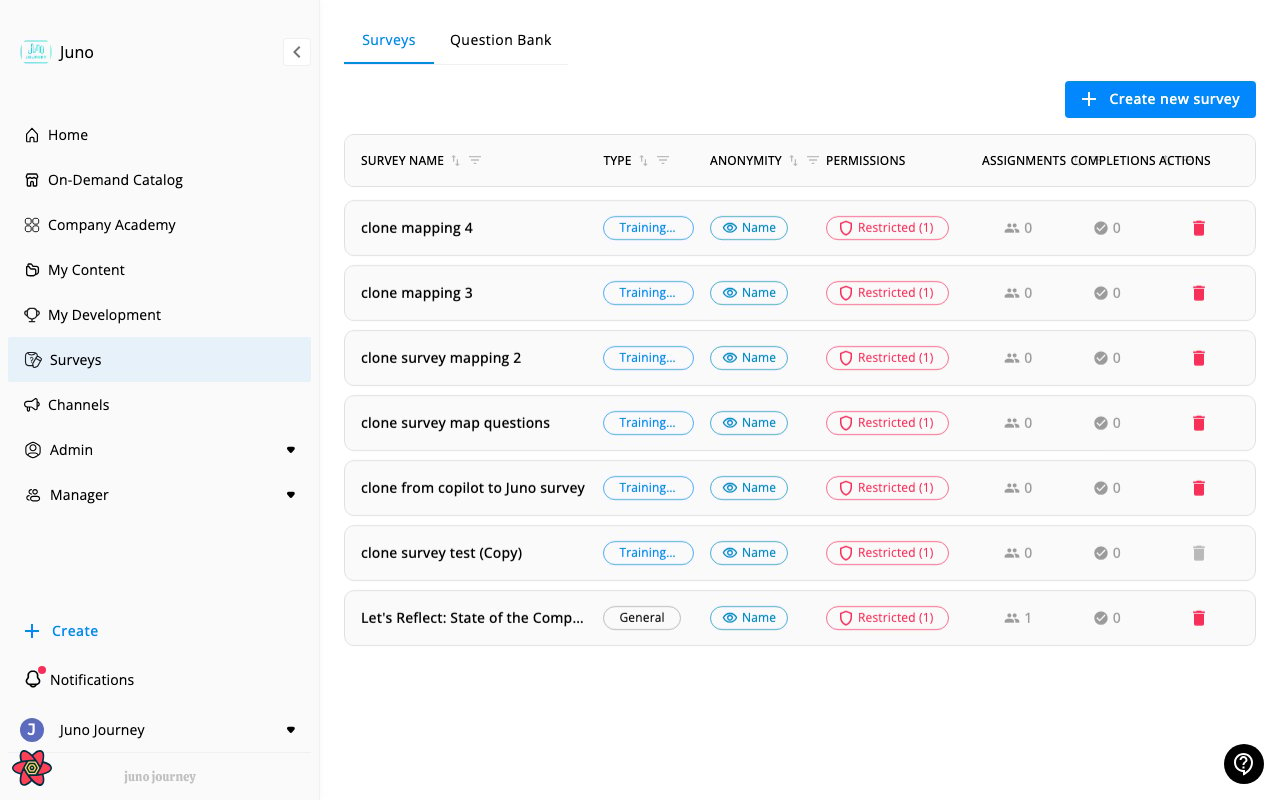
Surveys in Juno are **general-purpose questionnaires** used to gather feedback from employees. They're for things like employee engagement, course feedback, event satisfaction, or any other topic.
 ***
## Taking a survey
When you're assigned a survey:
1. You'll receive a notification
2. Navigate to **Surveys** in the sidebar or click the notification link
3. Answer the questions — these may include multiple choice, true/false, rating scales, or open text
4. Submit your responses
***
## Question types
Surveys can include:
| Type | What it is |
| ------------------- | -------------------------------------- |
| **Multiple choice** | Select one or more options from a list |
| **True / False** | Binary yes/no answer |
| **Rating** | Numeric scale (e.g. 1–5) |
| **Open text** | Free-form written response |
***
## Anonymous surveys
Some surveys may be configured as **anonymous** — your individual responses won't be linked to your identity in the results. The survey will indicate if it's anonymous before you start.
***
## I can't find a survey
If you were told about a survey but can't see it:
* Check **Surveys** in the sidebar — it may be listed there
* Check your notifications for a direct link
* The survey module must be active for your organization
* Ask your admin if the survey has been published and assigned to you
***
## Taking a survey
When you're assigned a survey:
1. You'll receive a notification
2. Navigate to **Surveys** in the sidebar or click the notification link
3. Answer the questions — these may include multiple choice, true/false, rating scales, or open text
4. Submit your responses
***
## Question types
Surveys can include:
| Type | What it is |
| ------------------- | -------------------------------------- |
| **Multiple choice** | Select one or more options from a list |
| **True / False** | Binary yes/no answer |
| **Rating** | Numeric scale (e.g. 1–5) |
| **Open text** | Free-form written response |
***
## Anonymous surveys
Some surveys may be configured as **anonymous** — your individual responses won't be linked to your identity in the results. The survey will indicate if it's anonymous before you start.
***
## I can't find a survey
If you were told about a survey but can't see it:
* Check **Surveys** in the sidebar — it may be listed there
* Check your notifications for a direct link
* The survey module must be active for your organization
* Ask your admin if the survey has been published and assigned to you