

What is Juno?
Juno combines a Learning Management System (LMS) with a Learning Experience Platform (LXP), alongside tools for career development, feedback, events, and collaboration — all in one platform.
Core modules
LMS
Create and publish learning content, Journeys, SCORM packages, and quizzes. Manage your Company Academy and track completion.
LXP
Give learners access to an on-demand catalog with external content, self-directed learning, and budget management.
Development
Goals, career paths, competency frameworks, skills profiles, and personal development plans.
Feedback
360-degree feedback cycles, assessments, and competency-based reviews.
Additional features
Your organization may also have enabled:| Feature | What it does |
|---|---|
| Events | Create and manage live or virtual events with calendar integration |
| Surveys | Company-wide or targeted surveys (separate from feedback cycles) |
| Channels | Team communication and collaboration spaces |
| Groups | Community spaces for shared interests or teams |
| Automations | Rule-based triggers for assignments, notifications, and workflows |
| Juno assistant | Ask questions about your learning, goals, and team in natural language |
| Programs & Cohorts | Schedule structured learning events with participant groups |
What you see in Juno
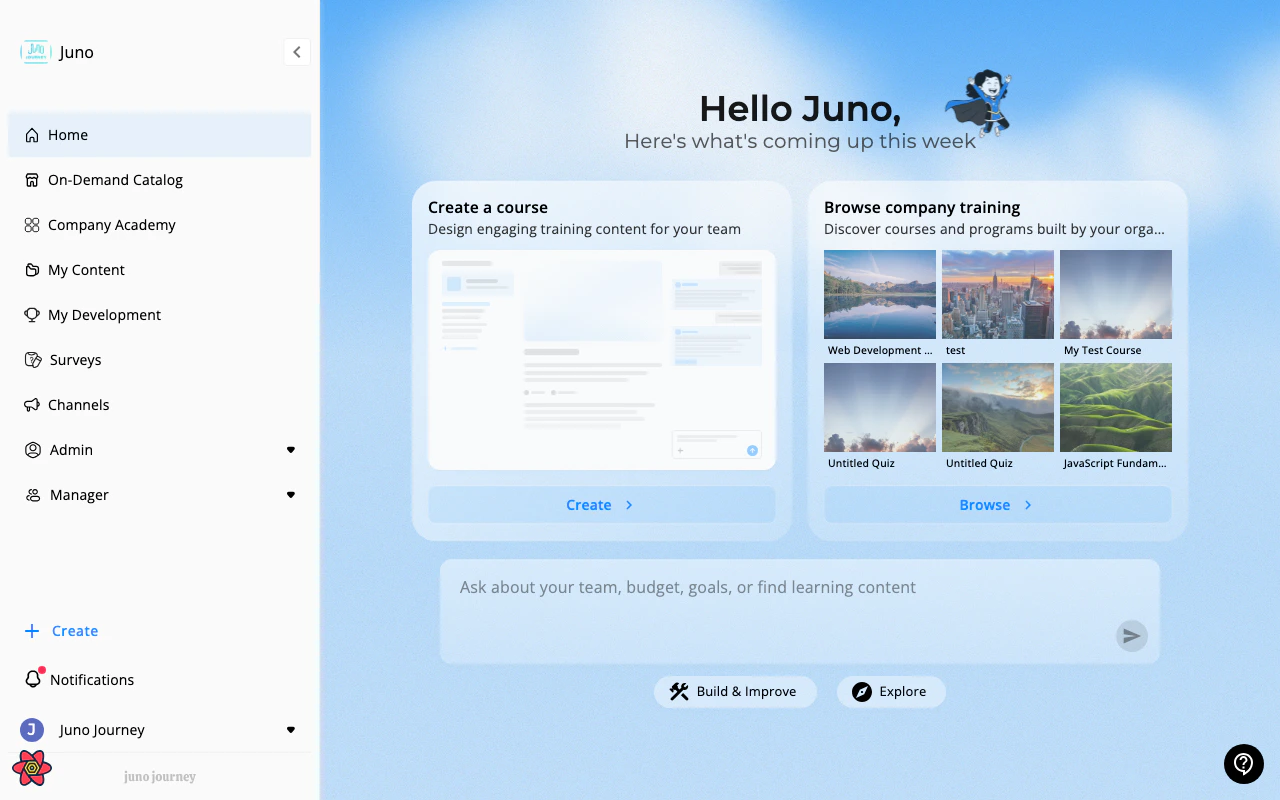
The sidebar and features visible to you depend on your role and your organization’s configuration:| Area | What it is | Route |
|---|---|---|
| Home | Personalized dashboard with suggestion cards and Juno assistant | /career |
| On-Demand Catalog | Browse and request external learning content | /catalog |
| Company Academy | Your organization’s internal learning catalog | /company-catalog |
| My Content | Content you’ve created or co-edit | /create-and-collaborate |
| My Development | Goals, career paths, and your development plan | /develop |
| Surveys | Organizational surveys | /surveys |
| Channels | Team communication spaces | /channels |
| Admin | Platform management (admins only) | /admin/0 |
| Manager | Team oversight and budget (managers only) | /managers/3 |
Not all items appear for every user. Your admin controls which modules and features are active. If something described in these docs doesn’t appear in your Juno, contact your admin.
How to get started
Log in
Use your company’s Juno URL. See First Login.
Get oriented
Learn the interface. See Navigating Juno.
Understand your role
See Roles & Permissions to understand what you can access.
Check your notifications
See Notifications to stay informed about assignments, feedback, and events.