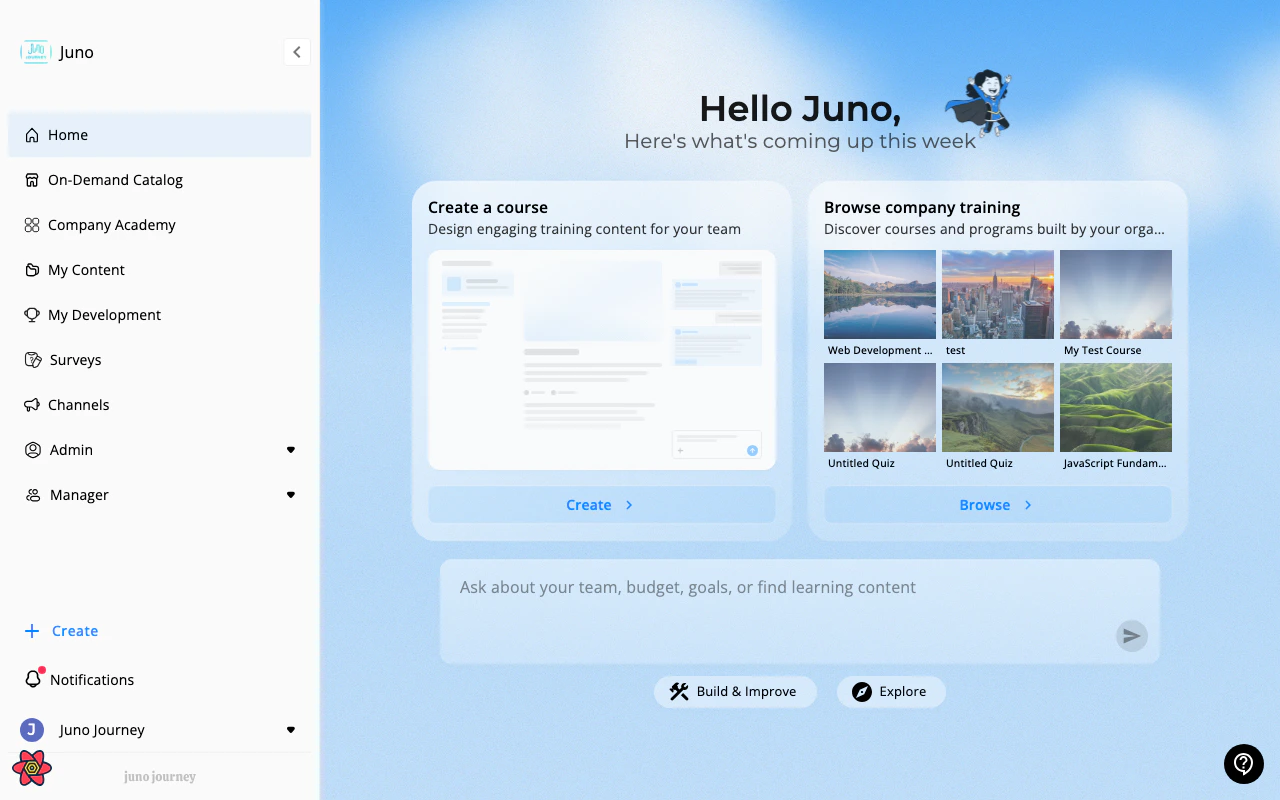
Logging in
Your admin will provide you with a Juno URL. Navigate there in any browser. You’ll see one of two login options depending on how your organization has configured Juno:- Single Sign-On (SSO)
- Email & Password
If your organization uses SSO (Google, LinkedIn, or SAML-based providers):
1
Click the SSO button
You’ll be redirected to your organization’s identity provider.
2
Authenticate with your work account
Use your usual work credentials — no separate Juno password needed.
3
You're in
You’ll be redirected back to Juno and land on your home dashboard.
Your profile
Most profile details (name, department, job title, manager) are synced automatically from your organization’s HR system. You don’t need to set them up manually. To open your profile, select your name or avatar at the bottom of the sidebar, then select My Profile. A panel opens on the right.What you can manage on your profile
Organizations that only use the LMS module don’t show these tabs by default.
At the bottom of the panel you’ll find Terms & Conditions and Privacy Policy.
Your account menu has more options, including Display Preferences for light or dark mode and Support for chatting with the Juno support team. See Your account menu.
Your profile is also where the platform builds its recommendations — adding skills and goals here improves AI-powered content suggestions.