

My Learning
Access your learning from My Content in the sidebar → My Learning tab. This is your personal view of everything you’re learning or have learned.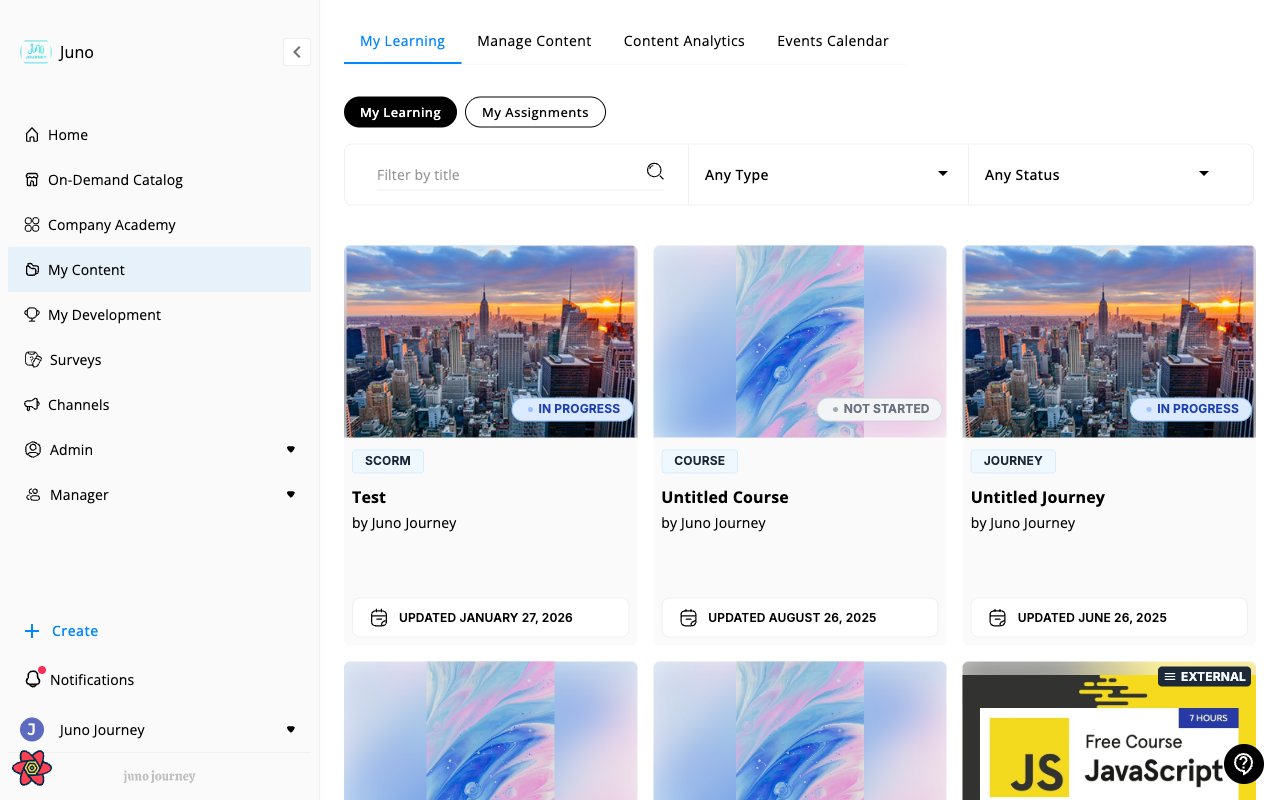
Filtering and search
Use the filters at the top to find specific content:- Search by title — type in the search bar to filter by content name
- Type — filter by content type (Course, Quiz, Journey, SCORM, External learning, etc.)
- Status — filter by progress status
- Sort — order results by Best Match, date, or other criteria
- Clear all — reset all filters
How learning gets added
Content appears in your library when you:- Self-enroll from the Company Academy or On-Demand Catalog
- Are assigned learning by a manager or admin
- Start a Journey
Logging external learning
Completed learning outside Juno — a conference, a podcast, a workshop, an external e-learning course? Log it manually so it’s part of your record. Select Add external learning next to the filters bar. If you don’t see it, it may not be enabled for your organization. Then fill in:- Title
- Date completed (can’t be in the future)
- CPD type — structured or unstructured
- Duration (hours and minutes)
- Provider, link, and notes (optional)
- Evidence — upload a supporting file
Only you can edit or delete your own external learning entries.
Resuming learning
Click any in-progress item to pick up where you left off. For Journeys with multiple steps, Juno tracks your position at the unit level — you’ll land on the next incomplete step. Once you’re inside a Journey, the left sidebar shows a completion indicator for each step so you can see how far along you are and jump back to any partially complete step. See Tracking progress in the sidebar.Learning opened through a public link
A creator can share a Course through a public link (see Courses). Guests who open the link take the learning without signing in. Guests don’t see the back arrow in the header. When a guest finishes the Course, they stay on the completion summary and the Close button is hidden, because a guest has no Juno home page to return to. Guests can close the browser tab when they’re done.This applies to guests only. If you’re signed in to Juno and open a public link from your own organization, you keep the Close button.