

Overview
Admin → Budget (/admin/3) manages your organization’s learning budget, credit allocation, and spending. Managers also have access but with a limited view.
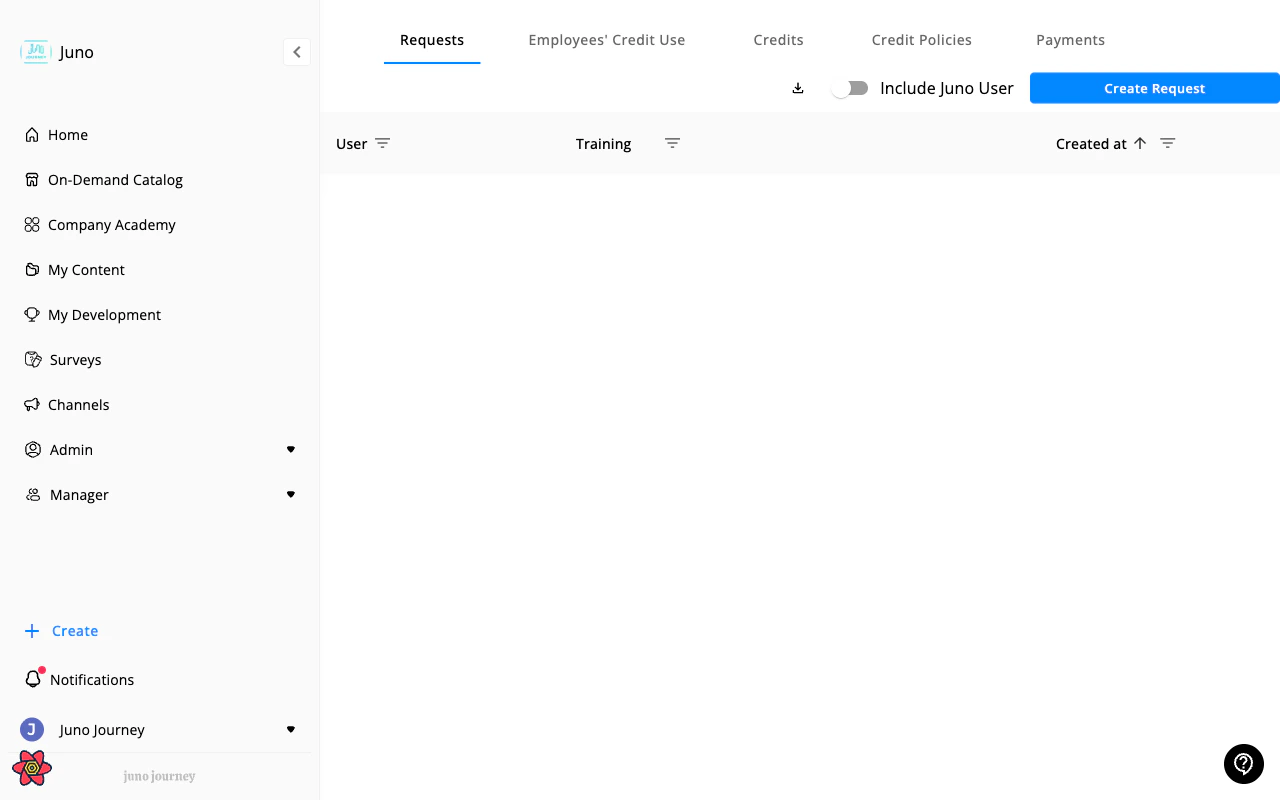
Sub-tabs
Overview
Dashboard with budget health metrics:- Total budget available vs. spent
- Budget utilization percentage
- Spending by provider
- Top learners by spend
Overview requires a feature that may not be enabled for your organization. Contact your Juno team to turn it on.
Requests
Learning content requests from users:- Approve, deny, or request more information
- View request details (content, cost, requester, manager)
- Filter by status, date, requester
- Cancel the requests of users who are no longer active. See Cancel a request for an inactive user.
When you open Requests from a tile or link on the Overview, Juno pre-filters the list to match the overview’s counts. “Pending approval” includes legacy requests without a stored status, and any inherited date range filters on the request’s creation date.
Users credits usage
Per-user credit balances and spending:- View each user’s allocated vs. spent credits
- Filter by department, role, date range
- Export to CSV
Credits
Define and manage credit types:- Create credit types (e.g., “Online Courses”, “Certifications”)
- Set credit values
- Allocate credits to users or teams
Who can see credits and who can manage them
Two separate permissions control the Credits tab:
Out of the box, only Owners can see and manage credits. Your Juno account team can set each permission to a lower role. For example, admins can manage credits while managers only see them, or managers can check balances without being able to change anything.
Credit policies
Budget allocation rules and caps:- Set spending limits per user, team, or time period
- Define conditions (by role, department)
- Configure approval chains
Credit policies is only visible to admins, not managers.
Payments
Invoice and payment tracking:- View payment history
- Track invoices by provider, and by user attribute (department, location, and more) when invoice breakdown is on
- Export payment data
Payments is only visible to admins, not managers.
Currency and prices
Your organization has one budget currency, and Juno support sets it. To change it, contact Juno support. Existing requests keep the currency they were made in, so the currency can change only while your organization has no open or completed requests. Canceled and declined requests don’t count. Provider plan prices follow that currency:- If a provider plan has a fixed price for your currency, learners see that exact price, and the budget check uses it.
- Otherwise Juno converts the provider’s price at current exchange rates. Where the price is an estimate, it has a ~ in front.
Vouchers and purchases
When a learning request is approved and the content has a cost, Juno fulfills the purchase via one of three flows:Voucher lifecycle
- Pending — request approved, voucher not yet generated
- Generated — code issued and sent to learner
- Redeemed — learner reports the code was used
- Expired / Suspended — voucher invalidated (admin action or provider expiry)
Custom requests
Learners can request content not in the catalog via “Request other” — admin reviews, approves the budget, and either issues a voucher or marks it as a direct purchase / reimbursement. The request form has a Type list: Book, Certification, Coaching, Conference, E-learning, Event, Subscription, Workshop, MOOC / Course, and Other. A credit policy can require approval for any of these types. See Learning Requests.Amazon invoice export
For Amazon book purchases, admins can export consolidated invoices from the Payments tab for accounting reconciliation.Manager vs. Admin view
Managers see Budget at/managers/3 with a limited view:
- Overview (if enabled), Requests, Users Credits, and Credits (read-only, and only if your organization lets managers see credits)
- No Credit Policies, Payments, or Automations