

Calendar views
The Events Calendar shows all scheduled sessions in a visual layout. Access it from Create & Collaborate → Events Calendar.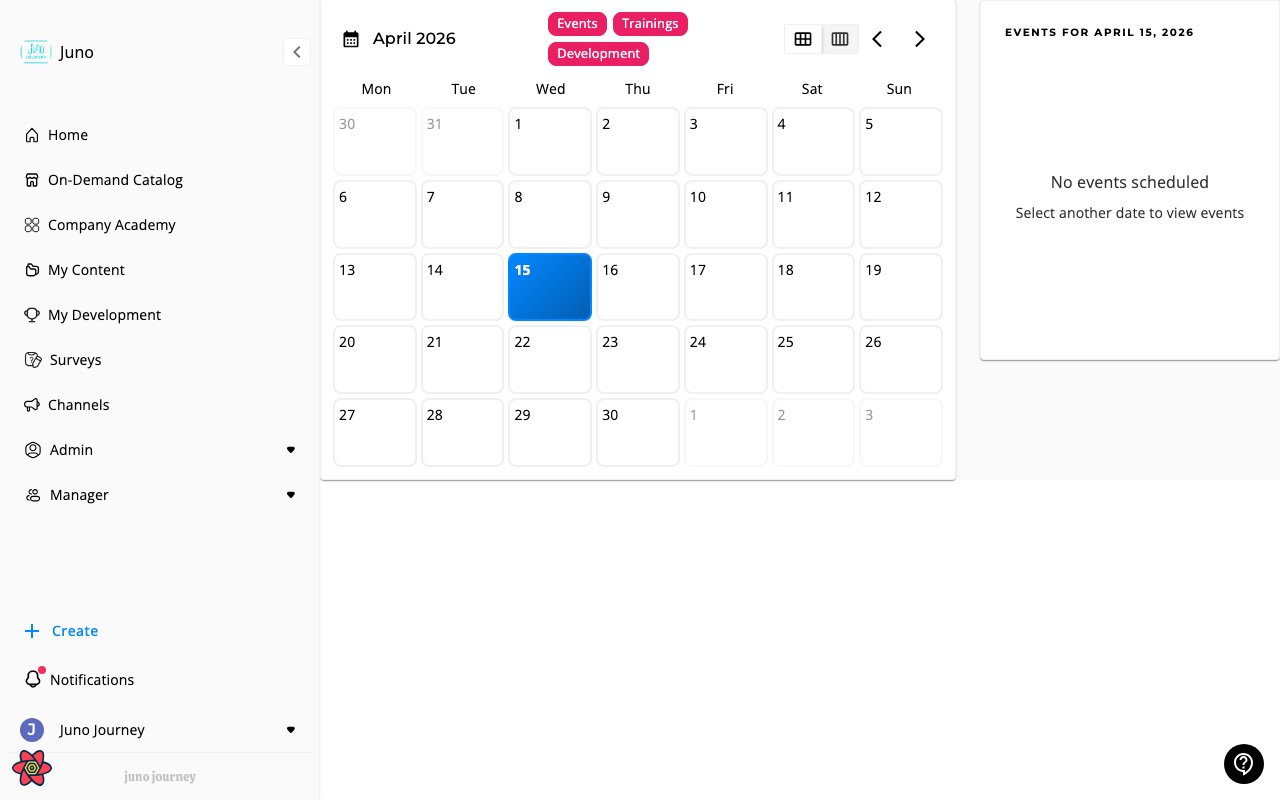
Color coding
Events are color-coded by type: Workshop (indigo), ILT (amber), Webinar (green), Event (pink).Filtering
Open the sidebar filter panel to show or hide events by type, instructor, location, or room. You can also overlay your Google Calendar if connected — see Calendar Sync.Quick filters in the sidebar
The events sidebar includes a quick-filter button next to the search box. Select the filter icon to expand a panel with chip-based filters that narrow the events list in place:- Type — toggle one or more event types (Workshop, ILT, Webinar, Event). The sidebar only shows events whose type matches a selected chip.
- Labels — toggle one or more event labels configured for your account. Labels are color-coded; selecting a label dims unmatched events out of the list. When you have more than four labels, select +N more to open the overflow popover with the remaining labels.
Session details
Click any session to open a details drawer: title, time, timezone, attendees, waitlist, video conference link, and RSVP buttons.Sessions you teach
If you are an instructor, the sessions you teach appear on your Calendar and in the calendar on your Home page. They show up even if you haven’t registered as an attendee. Juno matches you to an instructor profile through your Juno account or your email address. If a session you teach is missing, ask your Admin to check that your instructor profile uses the same email address as your account, and see Instructors.For admins
Admins can manage events directly from the calendar:- Create — select Create, then choose Event, Session to existing event, Program, or Cohort
- Reschedule — drag sessions to new time slots
- Check room availability — see room calendars before scheduling
Recurring events
Use a recurring event for a meeting that repeats on a schedule, such as a monthly Q&A or weekly office hours. Juno creates the sessions for you.1
Create the event
Select Create, then Event. Enter an Event title, choose Drop-In Series (“Repeating meetings; drop-in to any session”), pick a calendar, and select Create event.
2
Add the first session
On the event page, under Add your first session, set the date, time, location or video link, and instructors. This session is the template for the whole series.
3
Choose how it repeats
The Repeats section holds the Recurring Event Settings:
4
Choose when it stops
Select Never ends, End on date, or End after number of events (up to 500).
5
Save
Check the Summary at the bottom of the settings, then select Save session.
Editing a recurring event
When you edit a recurring event, Juno asks what you want to change.You can’t add a single session to a recurring event. Its sessions come from the repeat settings, so change the settings instead. Recurring events don’t appear in the Session to existing event list for this reason.
Notifying attendees about session changes
When you edit a session’s key details — such as date, time, timezone, location, room, or video conference link — Juno asks whether to notify the people already registered for that session. After you save changes to a session’s date, time, or location, a confirmation dialog appears with two options:
The notification includes the session title, the fields that changed (before and after values), and a link back to the event so attendees can review the updates and re-confirm their RSVP if needed.
The same prompt appears when you edit sessions from the Event detail page (in the session header or the General settings tab) and from the Events Calendar drawer.
If attendees have connected Google Calendar or Microsoft Outlook, Juno updates the session in their external calendars whichever option you choose. The option controls Juno’s in-app, email, and chat notifications. On Google Calendar it also controls whether Google emails guests about the update. Outlook ignores this choice, so on the Event detail page the prompt appears only for sessions on a Google calendar.