

Overview
My Development is your hub for professional growth. It brings together your goals, your career path, and, for managers and admins, your team’s goals. Select My Development in the sidebar to open it.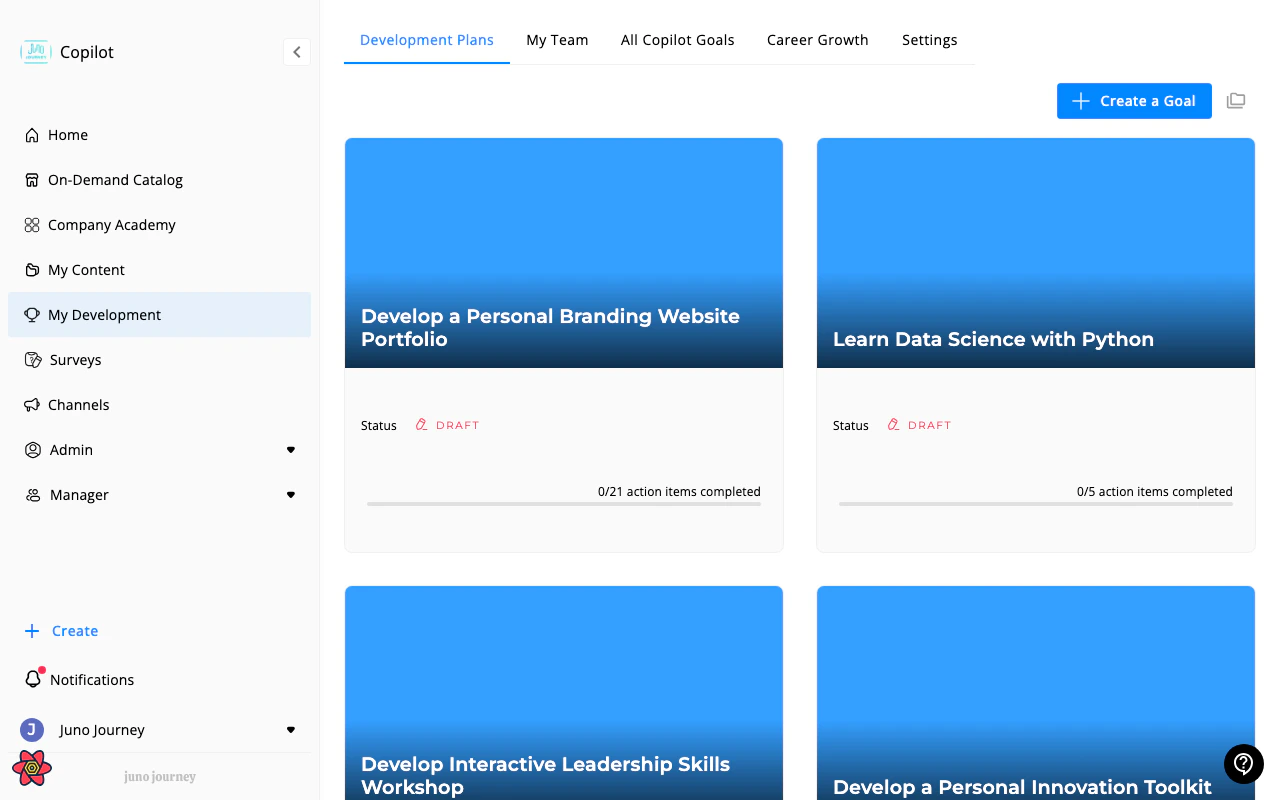
Tabs
The tabs you see depend on your role and on what your organization has turned on. Your organization can rename any tab, so the labels you see may differ.Career Growth, My Team, the goals table, Goals Analytics, and Settings aren’t shown on small screens. Use a laptop or desktop browser to reach them.
Your goals
On Development Plans, each goal is a card with its progress. From here you can:- Create a Goal. Select Create a Goal to start a new goal. See Goals for the full guide.
- See archived goals. Select the Archived goals icon to switch between your active and archived goals. It’s unavailable until you have archived a goal.
- Switch to goals you support. If your organization uses learning partners, a My Goals / Goals I Support switch appears. See Expert & Shared Goals.
For managers
Managers get two extra tabs:- My Team lists everyone in your reporting line, including indirect reports. Each row shows the person’s goal progress and lets you open their goals or create one for them.
- My Team Goals is a table of the goals of the people you manage, with filters and an Excel export.