

Overview
Your learning budget is the spending allowance your organization gives you to grow — courses, books, certifications, conferences, and more. You see what you have, request what you want, and the platform handles the payment.What is a credit?
A credit is a budget category. Your admin breaks the total budget into named buckets so spend stays organized and policies can apply differently to different kinds of learning.
Each credit type has its own balance and its own approval rules. When you submit a request, the right credit is picked based on what you’re requesting and what your admin set up.
Where to see your budget
Open My Wallet — the wallet icon in the top-right of the Catalog. You’ll see:- Your remaining balance per credit type
- Pending requests awaiting approval
- Approved requests awaiting your action (redeem voucher, upload receipt, use card)
- Recent activity
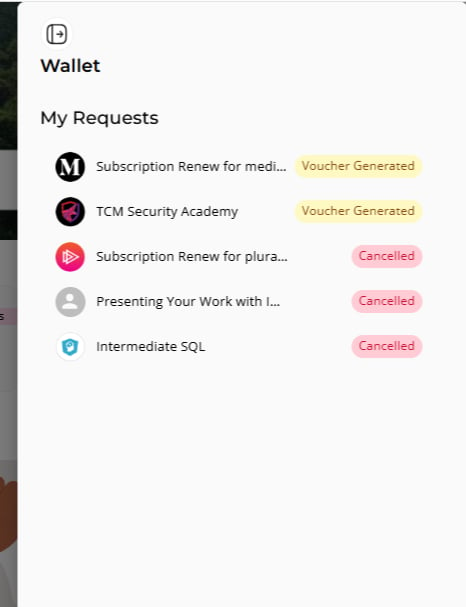
Don’t see a wallet icon? Your organization may not have the LXP module enabled, or you may not have any credits allocated yet. Contact your admin.
When My Wallet is hidden
If your organization offers free content only (its budget limit is set to zero), the My Wallet button doesn’t appear in the catalog. Your Juno account team can keep it visible for specific roles, for example people who still submit custom requests. Ask your admin if you need access.Prices and currency
Prices in the catalog and in your requests appear in your organization’s currency. Juno support sets that currency for your organization.- Fixed price: when a provider’s plan has a fixed price for your currency, you see that exact price, for example €120.
- Converted price: when it doesn’t, Juno converts the provider’s price at current exchange rates. Where the price is an estimate, it has a ~ in front, for example ~ €110.
What you can do with your budget
- Request a course from the catalog — picks a paid Udemy / Coursera / etc. course and submits it for approval.
- Submit a custom request for content not in the catalog — paste a URL and an estimated cost.
- Track requests — see status, approver, and next step on each one.
- Use a voucher or card once your request is approved.