

Two catalogs
Juno has two places to find learning content, depending on what your organization has activated:
Both may be available, or just one, depending on your organization’s setup.
On-Demand Catalog
Access external content from integrated providers across video courses, books, and live workshops.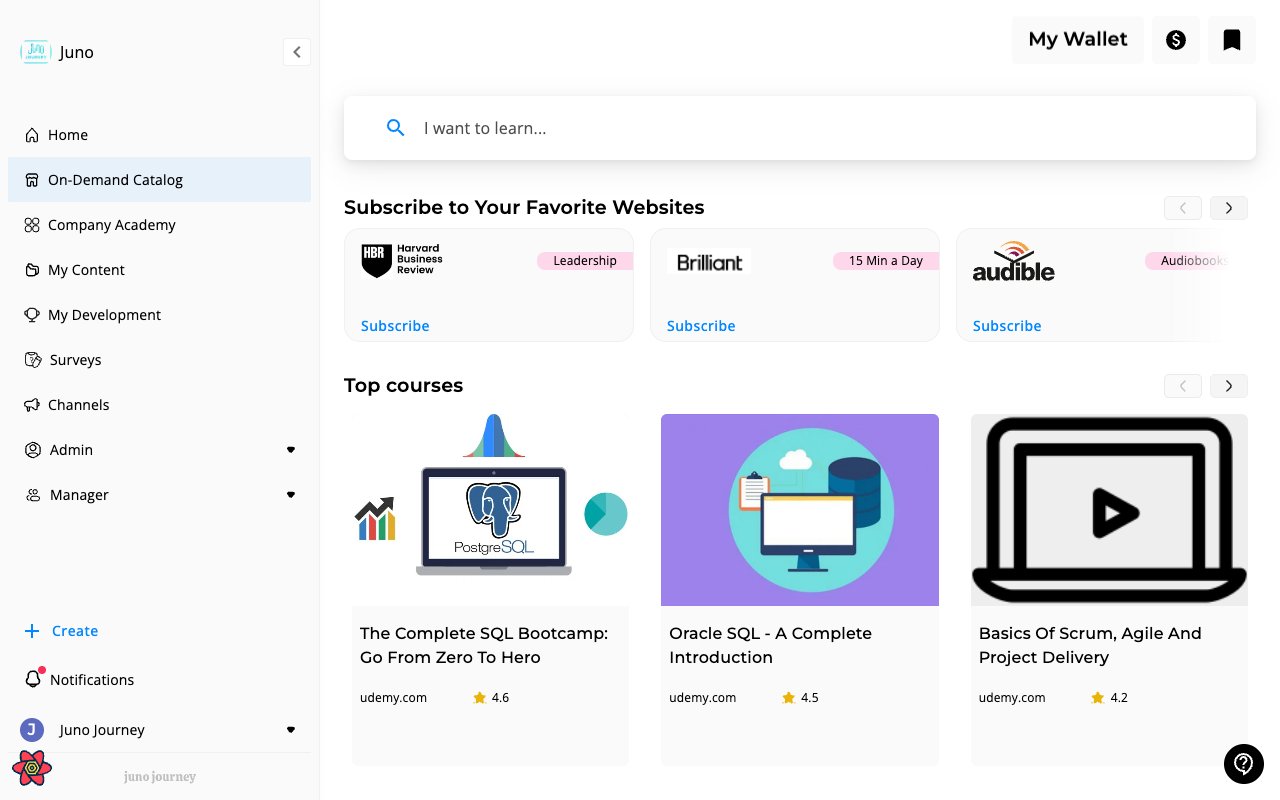
- Provider subscriptions — subscribe to your favorite learning websites
- Top courses — curated external courses with ratings and provider info
- Search — “I want to learn…” search bar to find specific topics
Supported providers
Juno surfaces content from a wide range of third-party learning sources — e-learning platforms, articles, books, podcasts, and tools & certifications. See the full list at External Learning Sources.Provider availability depends on your organization’s subscriptions. Admins enable providers in Admin → Content & Learning → External Content Management.
Requesting content
Some content requires a request before you can access it — this happens when:- The content has a cost (uses your learning budget)
- Your organization requires manager approval for external learning
A designed catalog page
Your organization can replace the standard On-Demand Catalog with a designed page. It is the same external learning, laid out the way your admins chose. Admins design the page with their AI assistant and publish it in Pages. A designed page can include these parts:
Whoever designed the page writes the heading above most rows. Website subscriptions brings its own title. Rows with nothing to show for you hide themselves, so the page never has an empty gap. My Wallet works as usual, and the provider trademark notice stays at the bottom of the page. If the page is published in your language, you see it in your language. Otherwise you see the source-language page.
Custom recommendation strips
A custom recommendation strip is a row of learning built around a theme that your organization picked, such as AI courses or courses from one region. Strips appear on a designed catalog page. Each strip is tailored to the person looking at it. It takes into account their job title, department, and top skills, their language, the providers your organization has enabled, and the budget they have left. Someone with no budget left sees only free courses in a strip. A strip shows up to 12 courses and refreshes about once a day for each person. If nothing relevant turns up, the strip hides itself.Only Admins can create strips. An Admin asks their AI assistant to create a strip with a title and a short description of what it should recommend, then places it on the catalog page.
Company Academy
Your organization’s internal content library. Admins and content creators publish courses, Journeys, quizzes, and other learning here.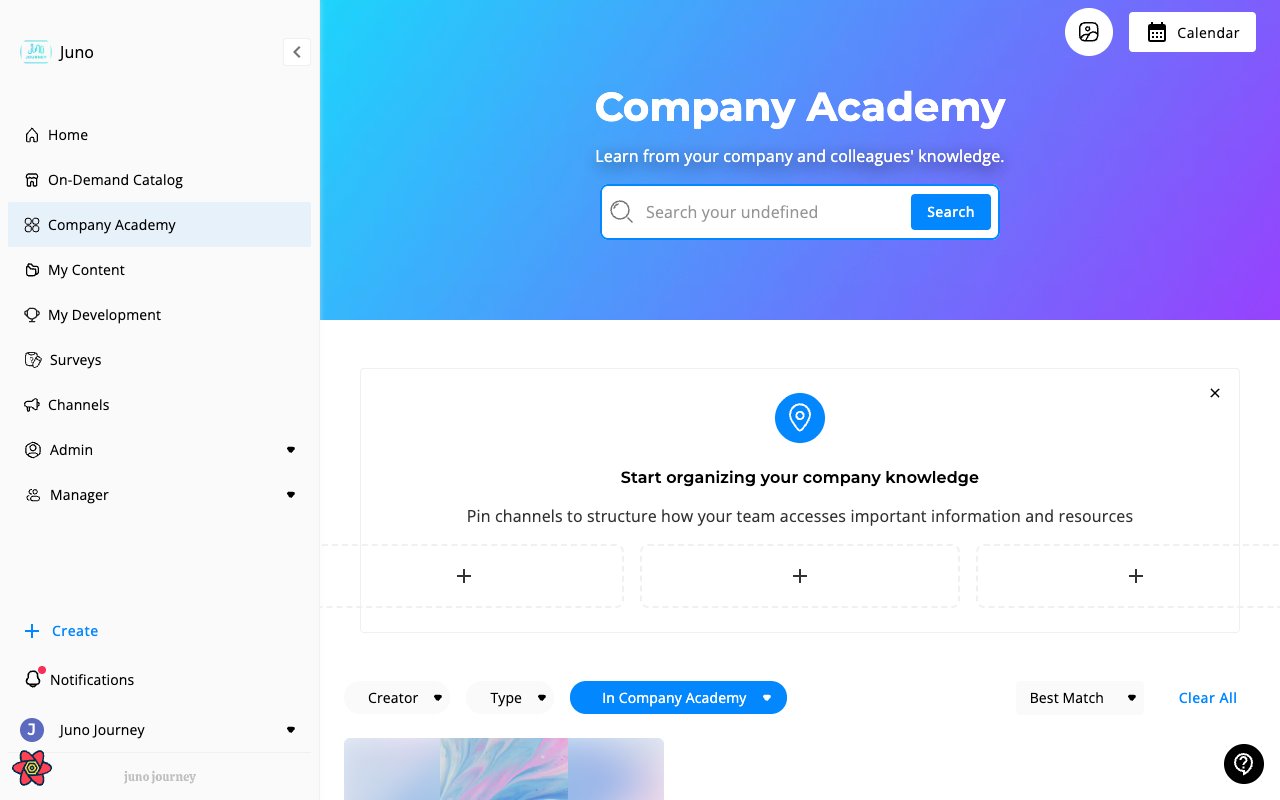
- Search — search published content by title, tag, creator, or text from inside the learning itself
- Channels — content organized into channels by your admin. Channels your admins pinned show in a row above the content, as larger tiles when only a few are pinned. See Channels
- Filters — filter by Creator, Type, and Tag. Admins also get Status
- Sort — Best Match, Date Updated, or Date Created