

/groups).
Groups, channels, and Journeys
These three do different jobs, and picking the wrong one is the most common source of confusion.
A common pattern uses all three: build a group for the team, create a channel and give that group access, then assign a Journey to the same group when something is mandatory.
What you use a group for
Group types
The groups list
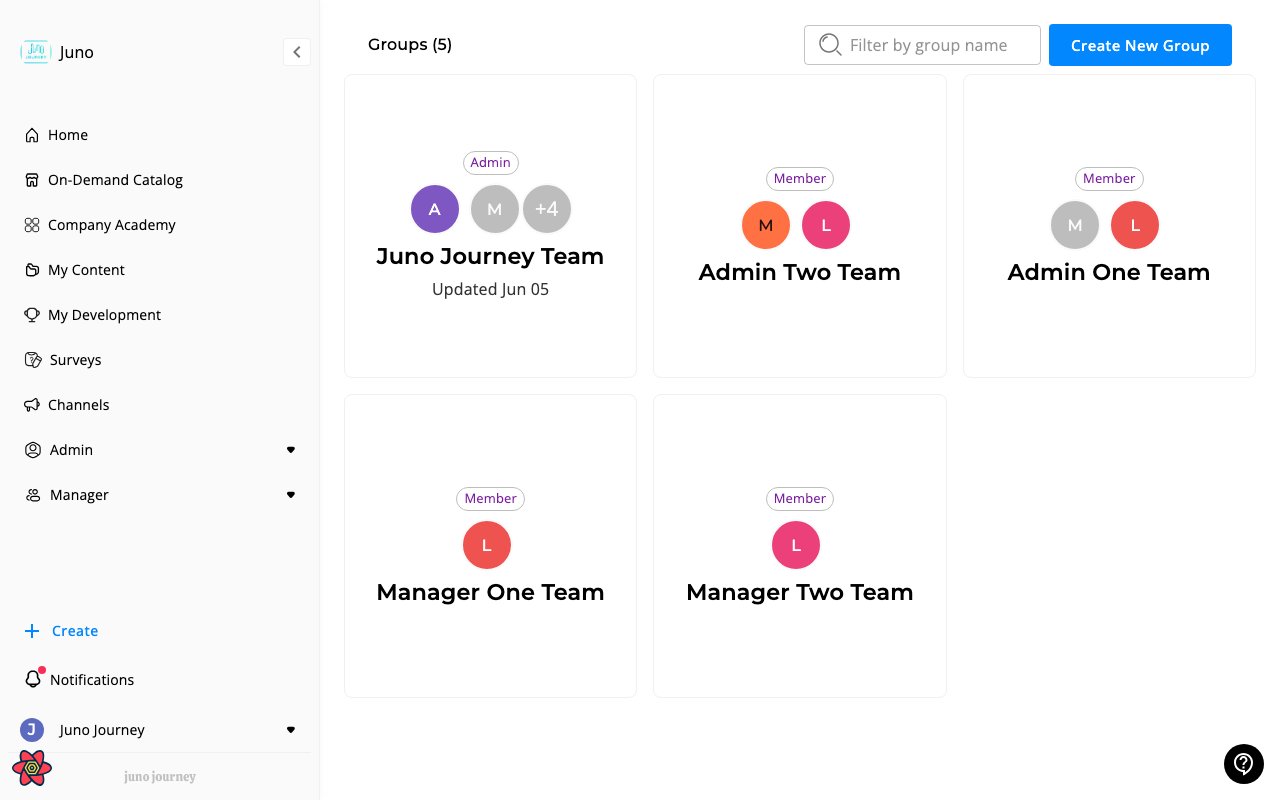
The Groups page lists the groups you belong to or administer, shown as cards. The page title shows how many groups are listed, for example Groups (12). Each card shows:- A type chip — Manually, Hierarchy, or Rules Based.
- Member avatars and the group name.
- Admins — avatars of the people who administer the group.
- A shield icon when members are fully managed by group admins. Hover over it to see the explanation.
- When the group was last updated.
Search, sort, and filter
Use the controls above the cards to narrow the list. They combine, so you can filter to the groups you manage and sort them by name.
The Default order puts your own team first, then the groups you administer, then the rest. Groups that Juno creates automatically, such as hierarchy teams, don’t have a created or updated date, so they always sort last when you sort by date.
If nothing matches, the page shows No groups match your filters. Select Clear All to start over.
Export to CSV
Select Export to CSV to download the groups you see right now. The file follows your current search, filters, and sort order, so apply them first. The button is disabled when the list is empty.Inside a group
Opening a group shows its members, along with the group’s name and type. From here you can search the member list, add members from a CSV file, and edit or delete the group.You can edit a group if you’re an Admin or a People area admin. A group admin can edit the group too, unless its members are fully managed by group admins. You can’t edit a Hierarchy group, because Juno builds it from your reporting structure.
Some organizations still see an older group view with tabs for content and reporting. That view is being retired, and Juno shows a banner on it pointing to channels. If you see it, move the content into a channel and give the group access to that channel.
Group admins
Group admins are members you designate to help run the group. Their avatars appear on the group’s card. The Admins will be able to access users personal profile including budget, analytics, skills assessments etc. switch gives a group’s admins manager-level visibility over every member of the group, without changing anyone’s platform role. Only Admins see this switch. Groups where it’s on show the shield icon on their card, and you can find them with the Members are fully managed by group admins filter.Creating a group
1
Open Groups and select Create New Group
Go to Groups (
/groups) and select Create New Group.2
Step 1. Group Title
Give it a name that says who’s in it, so other admins can reuse it with confidence.
3
Step 2. Add Members
Select Manually to pick people yourself, or By Attribute Rules to define the segment by user attributes and let membership stay current on its own.
4
Step 3. Add Administrators
Pick any people who should help run the group.
5
Choose the access options, then save
Admins can switch on the profile-access option described in Group admins. Switch Group members can see this group on if members should see the group under My Groups in their sidebar. New groups start with it off. Group admins always see the group.