Overview
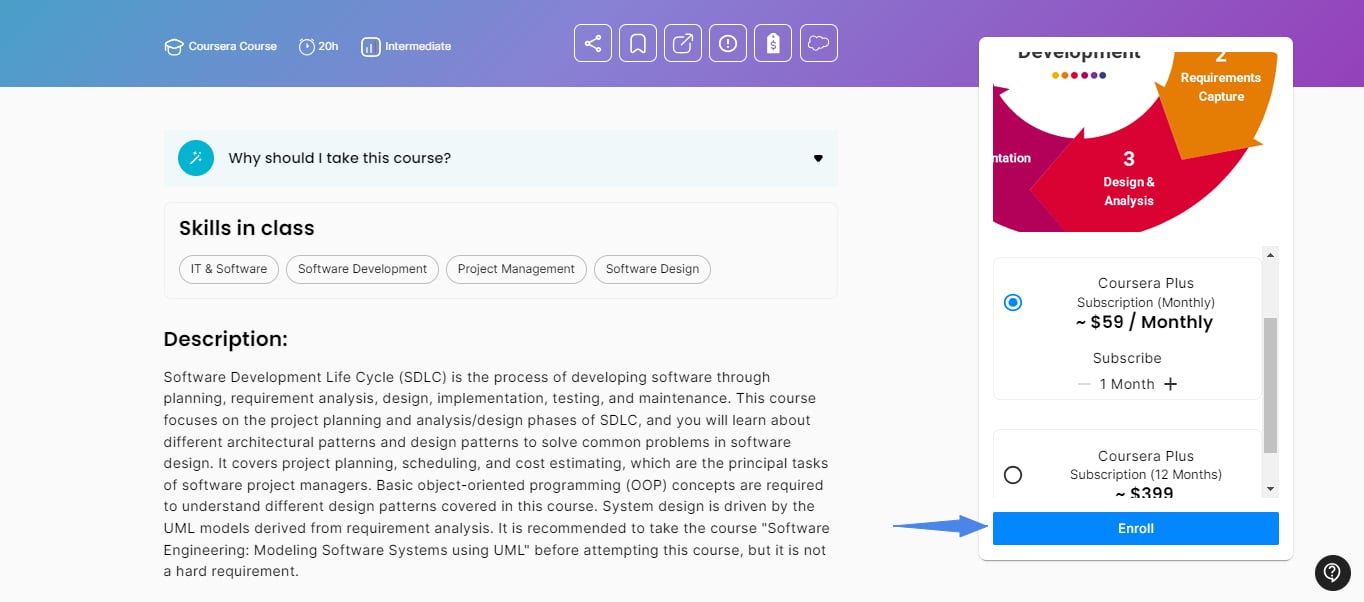
Coursera offers courses, Projects, Specializations, and Professional Certificates taught by instructors from leading universities and companies. Depending on the course, a Coursera page in the On-Demand Catalog offers up to three options: Audit (free), Purchase Course, or a Coursera Plus subscription.Audit a course for free
If the course has an Audit option, you can take it without using your budget.Audit access doesn’t include a certificate, and it may not be available for Specializations or some courses.
1
Choose Audit
Open the course page in the On-Demand Catalog, select the Audit option, and click Go to the course.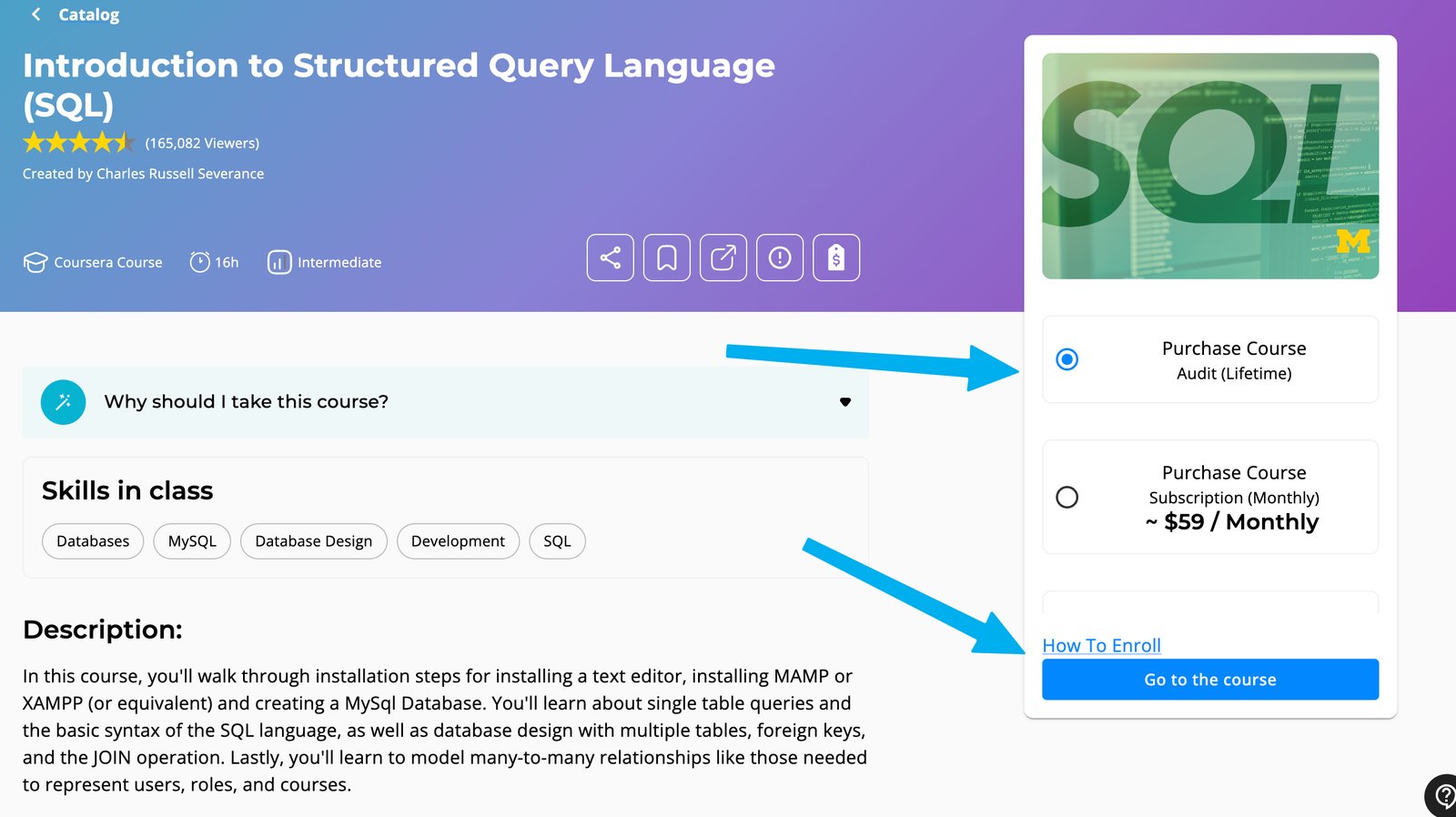
2
Enroll on Coursera
On Coursera, sign in or create an account, then click Enroll for Free.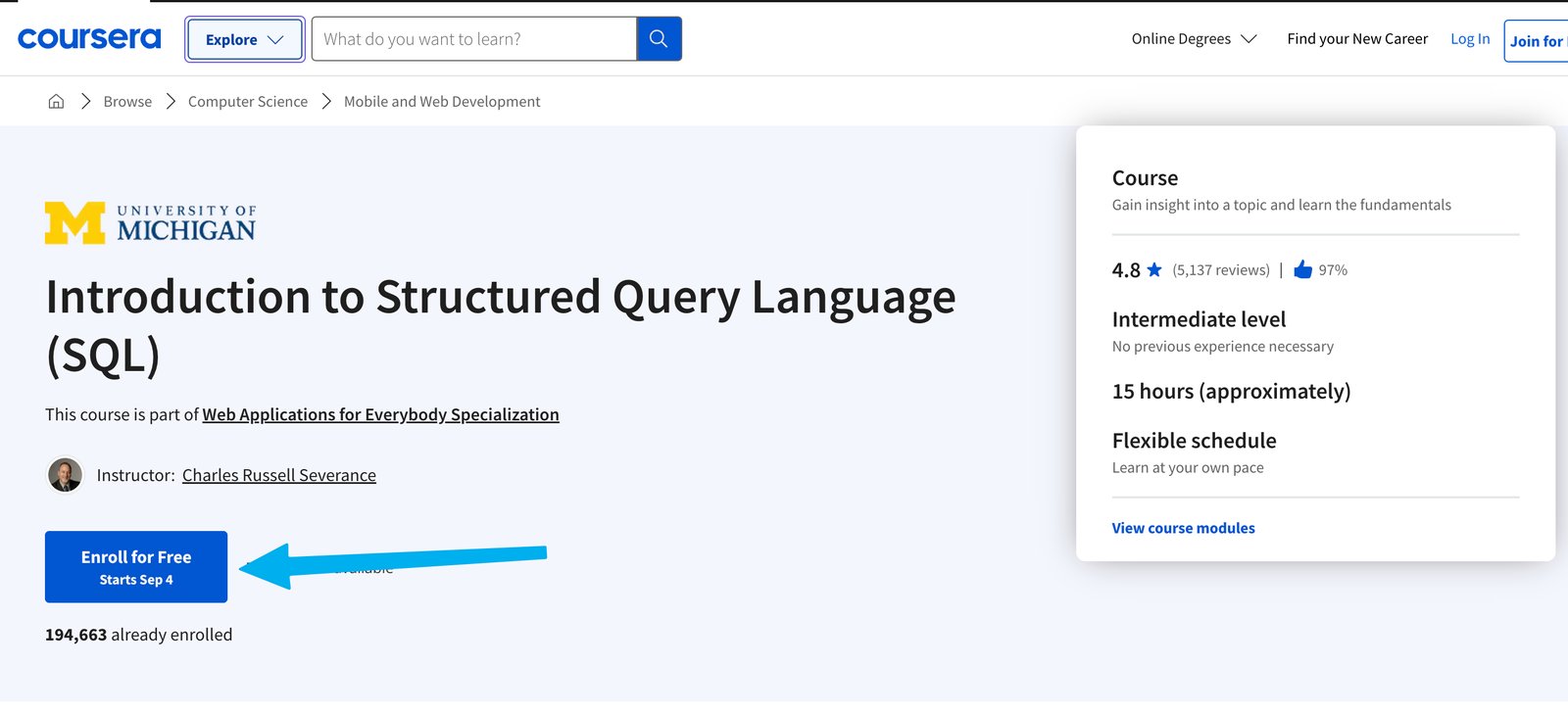
3
Select Audit
In the window that opens, click Audit at the bottom.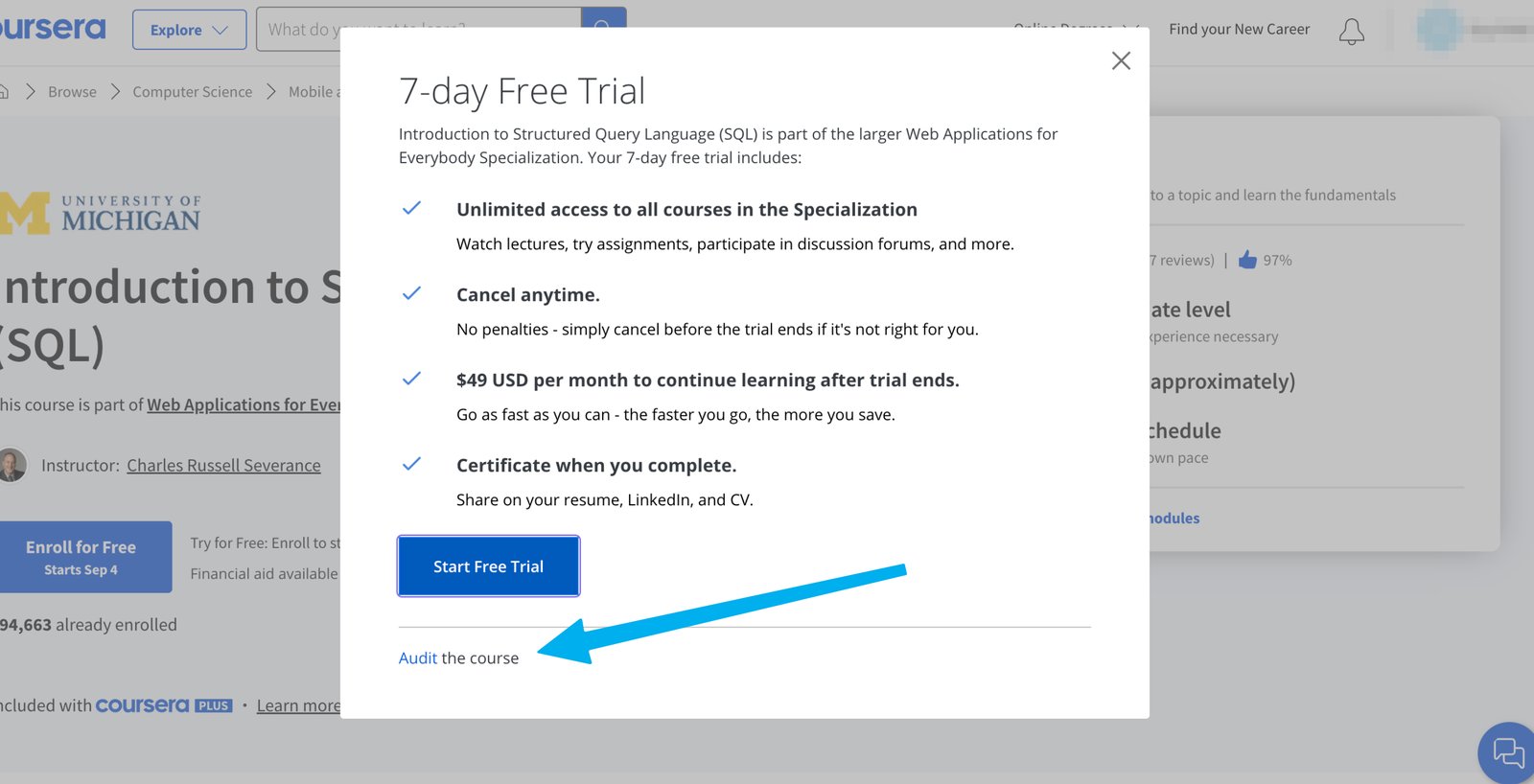
Request a course purchase
If the course can be bought on its own, select Purchase Course on the catalog page and click Enroll to create a request.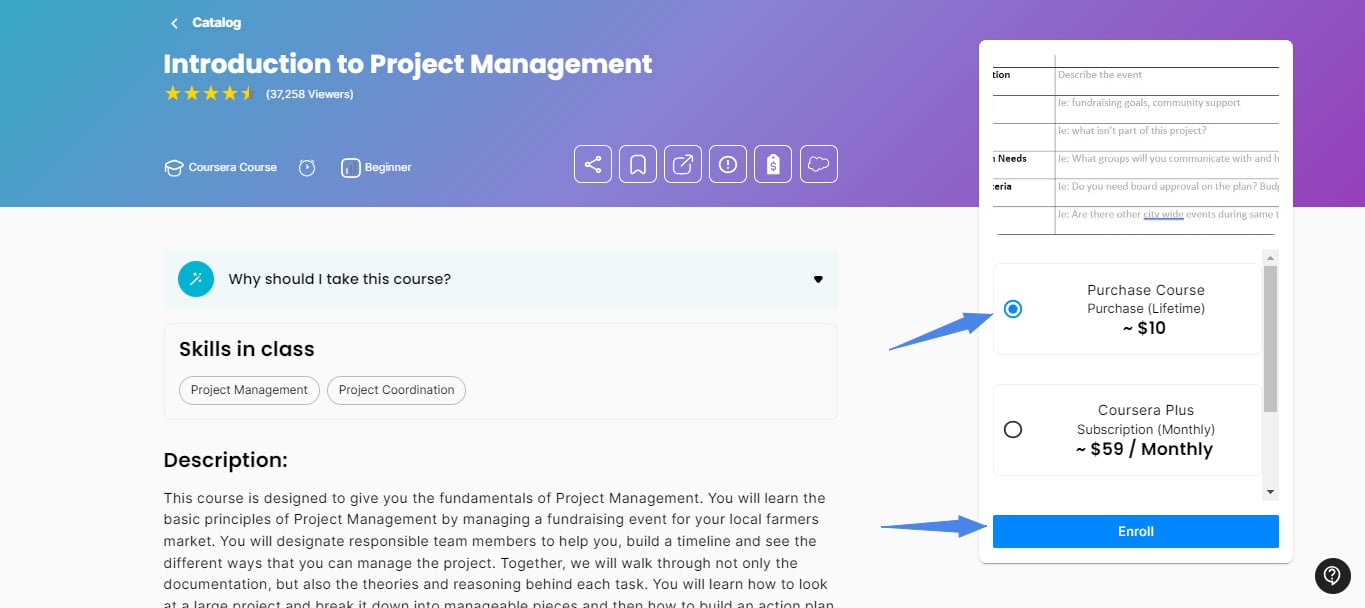
Request a subscription
If the course requires a subscription, pick a Coursera Plus plan (monthly or annual) and click Enroll to create a request.